Frame(フレーム) ノード
The Frame node is used to organize and group other nodes within the editor. It helps manage complex node trees by visually grouping related nodes together.
Frames are particularly useful when the setup is too large to view easily at once, or when you want to separate logical sections of a node tree without creating a reusable Node Group.
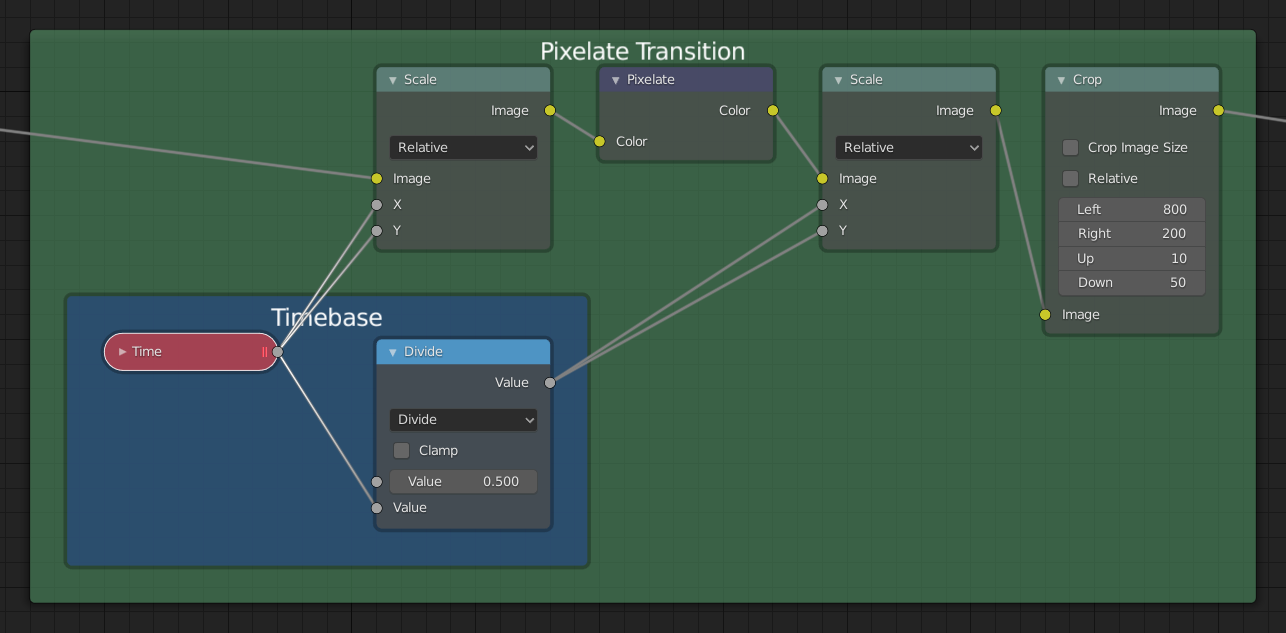
Example of a Frame node used to organize nodes.
使用方法
Nodes can be added to a frame by dragging them inside it.
Moving the frame also moves all contained nodes.
Frames can be resized by dragging the corners or edges.
The frame can display a custom label, useful for naming sections of your node setup.
Properties(プロパティ)

- Label Size(ラベルサイズ)
ラベルのフォントサイズです。たとえば、従属するフレームのタイトルを小さくする場合に使用します。
- Shrink(収縮)
ノードをフレーム内に配置すると、フレームはノードの周囲に合わせて縮小され、無駄な領域が無くなります。その時点で、フレームのエッジを選択してサイズを変更することはできなくなりますが、フレーム内のノードが再配置されるとサイズは自動的に変更されます。この挙動は、オプションを無効にすることで変更できます。
- Text(テキスト)
より解りやすいテキストを表示する必要がある場合、テキストデータブロックの内容をフレームに表示させることができます。これは読み取り専用のため、Text Editor(テキストエディター) を使用して内容を編集する必要があります。
Editing(編集)
Join in New Frame(新規フレームに追加)
参照
- Menu(メニュー):
- ショートカットキー:
F
Creates a new Frame node around the selected nodes.
When called using the shortcut F, a popup appears allowing you to assign a custom Label to the new frame node. This label is shown as the title of the frame and can be used to describe its contents.
フレームへ追加
参照
- ショートカットキー:
Ctrl-P
フレームノードが配置されている状態で、ノードをフレームにドロップするか、ノードに続いてフレームを選択し、Ctrl-P を押すことでノードを追加できます。これは、選択したノードからフレームへの親子付けだと考えることができます。
Remove from Frame(フレームから削除)
参照
- Menu(メニュー):
- ショートカットキー:
Alt-P
フレームからノードを取り外すには、ノードを選択して Alt-P を押します。これは選択したノードの、フレームからの親子付け解除だと考えることができます。