Introdução
In addition to modeling and animation, Blender can be used to edit video. There are two possible methods for this, one being the Compositor. However, this chapter describes the other, the Video Sequence Editor (VSE), sometimes shortened to just «Sequencer». The Sequencer within Blender is a complete video editing system that allows you to combine multiple video channels and add effects to them. You can use these effects to create powerful video edits, especially when you combine it with the animation power of Blender!
To use the VSE, you load multiple video clips and lay them end-to-end (or in some cases, overlay them), inserting fades and transitions to link the end of one clip to the beginning of another. Finally, you can add audio and synchronize the timing of the video sequence to match it.
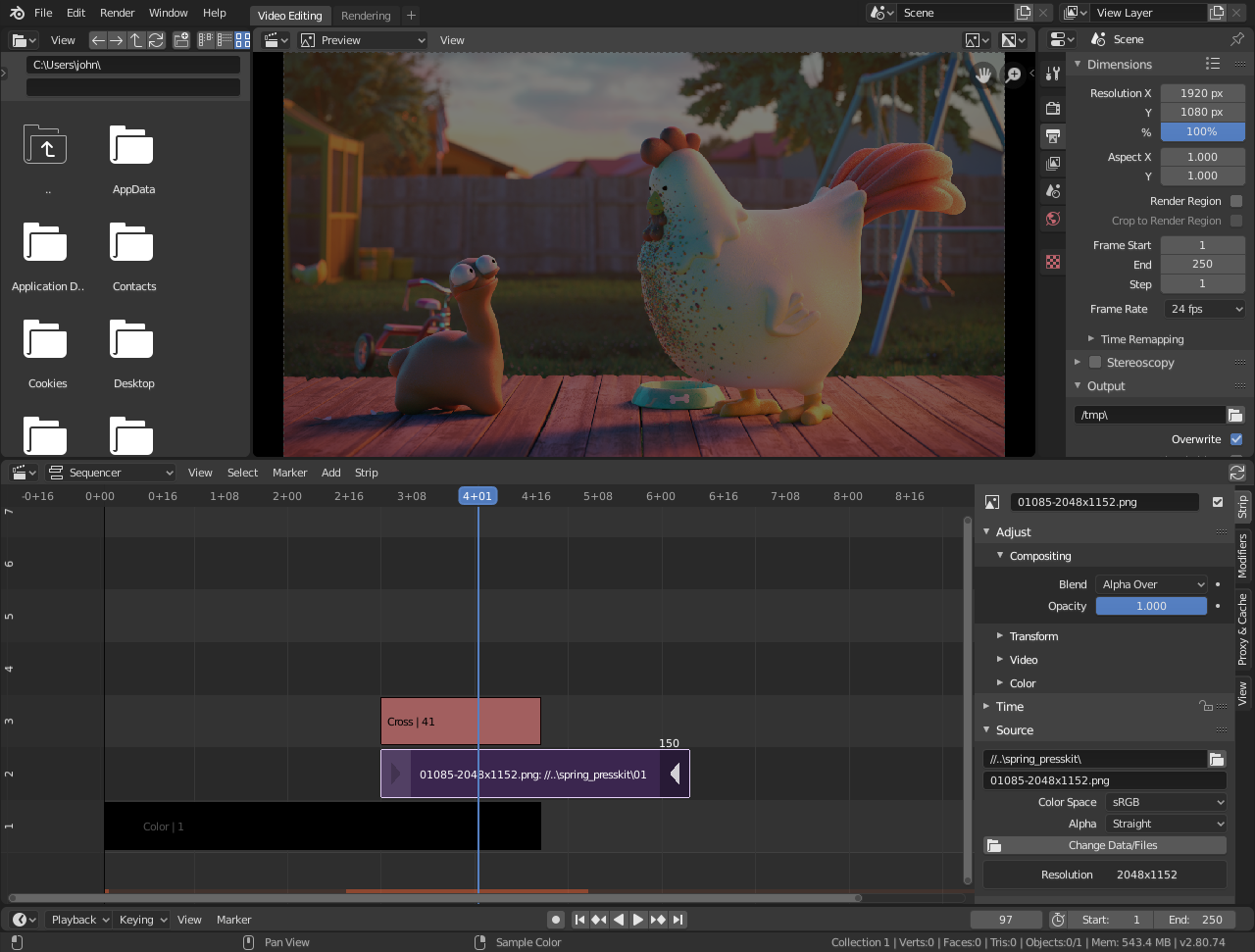
Layout de tela padrão para Edição de Video.
View Types

The Video Sequence Editor has three view types for the main view:
- Sequencer
Visualize a linha do tempo e propriedades da tira.
- Preview
Visualize a janela de pré-visualização e propriedades de pré-visualização.
- Sequencer/Preview
Visão combinada de pré-visualização e linha do tempo e propriedades de ambos.
É possível criar múltiplas instâncias de qualquer tipo de visualização em um único workspace.
Nota
By default the Sequencer is enabled, however, it can be disabled in the Post Processing.
Performance
O desempenho da reprodução pode ser melhorado de várias maneiras. O maior impacto na performance é permitir que o Video Sequencer faça o cache da reprodução. Há dois níveis de cache, o primeiro é um cache de RAM, que é ativado por padrão, mas pode ser aumentado com base na quantidade de RAM disponível. O próximo nível de cache é um cache em disco que armazena as tiras em cache no disco. Um cache de disco geralmente pode armazenar em cache mais do que um cache de RAM, mas ele pode ser mais lento. Ambas as opções de cache podem ser configuradas nas Preferências.
Another way to improve performance is by using Strip Proxies These are used to cache images or movies in a file that is easier to playback by reducing the image quality by either decreasing the resolution and/or compressing the image.