侧栏
视图
参考
- 面板
背景图
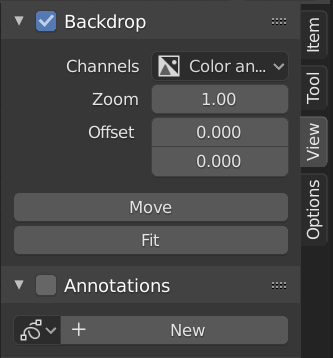
背景图面板。
背景图是合成器背景中的查看器节点的输出。例如,当在图像节点上按下 Shift-Ctrl-LMB 时,它将显示图像的预览,而对于混合节点则会显示混合的结果。可以通过单击 背景图 面板标题中的复选框或单击标题栏上的 背景图 按钮来切换背景图显示。
- 通道
背景图的显示用颜色通道来表示。
- 缩放 Alt-V V
设置背景图片的尺寸大小。
- 偏移量
改变背景图在屏幕显示的空间位置。
- 移动 Alt-MMB
变换背景图的位置。
- 适配
自动缩放背景图以匹配节点编辑器视窗尺寸的大小。
- 重置背景图
重设视图缩放为1,偏移为0。
选项
参考
- 面板
性能
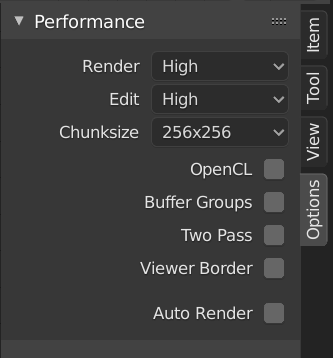
性能面板。
此面板用于对合成性能参数进行微调。
- 渲染
Sets the quality when doing the final render.
- 编辑
Sets the quality when making edits.
- Chunk Size
Max size of a tile (smaller values give a better distribution of multiple threads, but more overhead).
- OpenCL
This allows the use of an OpenCL platform to aid in rendering. Generally, this should be enabled unless your hardware does not have good OpenCL support.
- Buffer Groups
Enables buffering of group nodes to increase the speed at the cost of more memory.
- Two Pass
Use two pass execution during editing: the first pass calculates fast nodes, the second pass calculates all nodes.
- 预览器区域
用于为背景图设置关注区域。按 Ctrl-B,并在预览中选择一个矩形区域,该区域将成为背景图中的下一个预览区域。Ctrl-Alt-B 舍弃该区域,返回完整预览。这只是一个预览选项,在渲染的最终合成结果不受此区域影响。
- Auto Render
Re-render and composite changed layer when edits to the 3D scene are made.