Video Sequencer
The Video Sequencer is a powerful tool used for video editing.
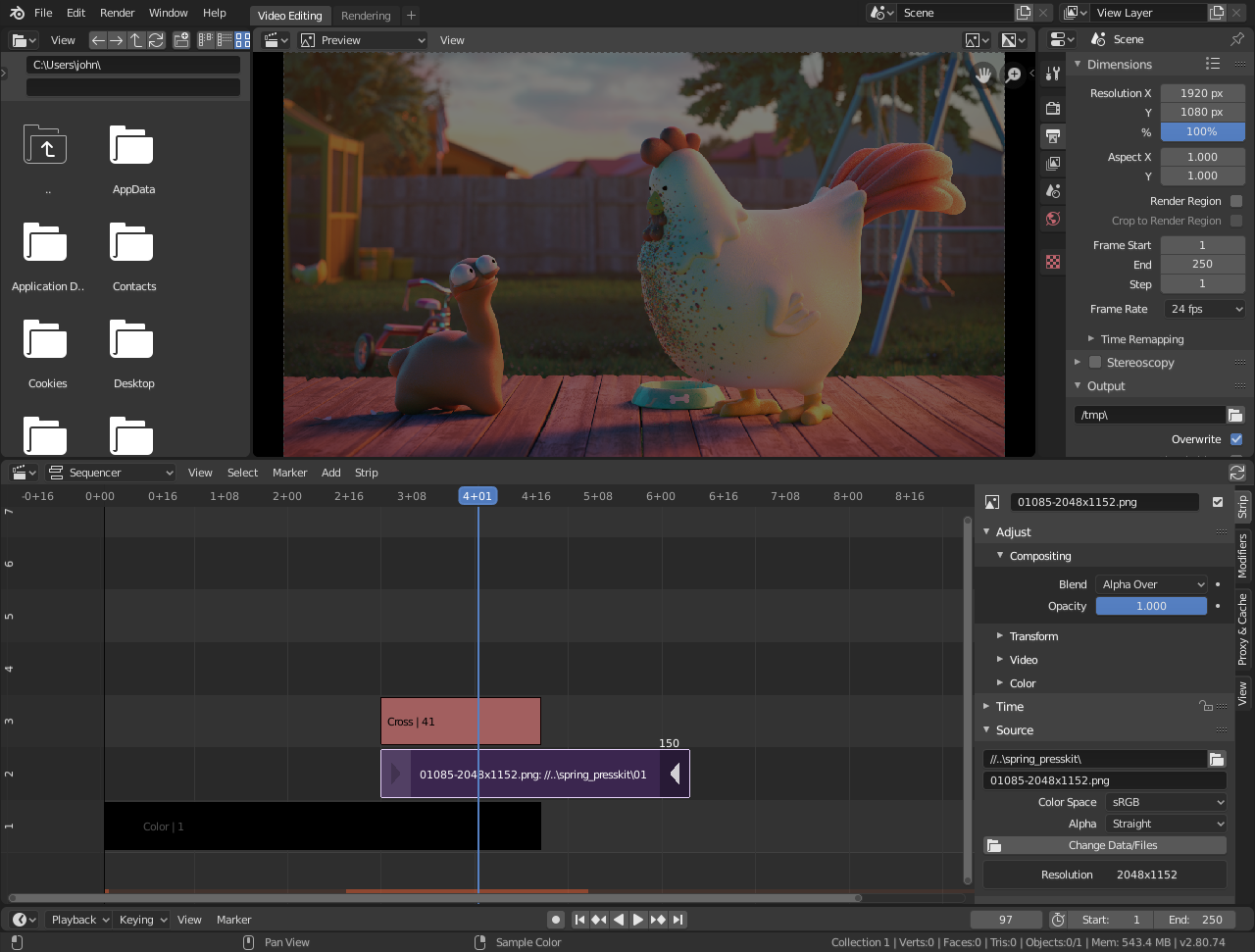
Default Video Editing screen layout.
For more information on the Video Sequencer and video editing in Blender, see Video Editing.
View Types

The Video Sequence Editor has three view types for the main view:
- Sequencer
View timeline and strip properties.
- Preview
View preview window and preview properties.
- Sequencer & Preview
Combined view of preview and timeline and properties of both.
It is possible to create multiple instances of any view type in single workspace.
Note
By default the Sequencer is enabled, however, it can be disabled in the Post Processing.
Performance
Playback performance can be improved through several ways. The biggest impact on performance is to allow the Video Sequencer to cache the playback. There are two levels of cache, the first is a RAM cache, this is enabled by default but can be increased based on the amount of RAM available. The next level of cache is a disk cache which stores cached strips on disk. A disk cache can generally cache more than a RAM cache, but it can be slower. Both of these cache options can be configured in the Preferences.
Another way to improve performance is by using Strip Proxies. These are used to cache images or movies in a file that is easier to playback by reducing the image quality by either decreasing the resolution and/or compressing the image.