Tela de abertura
Ao iniciar o Blender, a tela de abertura aparece no centro da janela. Ela contém opções para criar novos projetos ou abrir arquivos do blender recentemente abertos. Uma descrição mais detalhada pode ser encontrada abaixo.
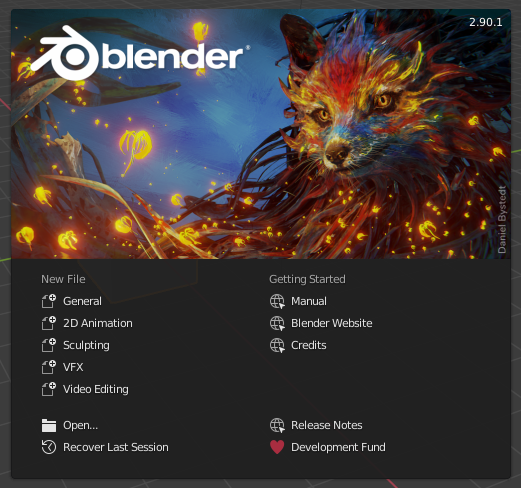
A tela de abertura do Blender.
To close the splash screen and start a new project, click anywhere outside the splash screen (but inside the Blender window) or press Esc. The splash screen will disappear revealing the default screen. To reopen the splash screen click on the Blender icon in the Topbar and select Splash Screen.
- Região de Informação
The upper part of the splash screen contains the splash image with the Blender version in the top right.
- Região Interativa
A região interativa é a metade inferior da tela de abertura.
- New File
Iniciar um novo projeto com base em um template.
- Recent Files
Seus arquivos Blender abertos mais recentemente. Isto fornece um acesso rápido e fácil aos seus projetos recentes.
- Open
Permite a abertura de um arquivo blender existente.
- Recover Last Session
O Blender tentará recuperar a última sessão com base em arquivos temporários. Veja :doc:`/troubleshooting/recover”.
- Links
Links para o site oficial. Os mesmos links podem ser encontrados no menu Menu de ajuda da Topbar.
Nota
Ao iniciar o Blender pela primeira vez, a «Região Interativa» contém um Quick Set Up Process.