Blender 2.82 Manual Logo
  • Iniciando
  • Interface de usuário
    • Tela de abertura
    • Sistema de janelas
    • Keymap
    • Controles da interface
      • Botões e controles
      • Controles estendidos
        • Menu de blocos de dados
        • Visualização em listas e predefinições
        • Seletor de cores
        • Gradiente de cores
        • Assistente de curvas
        • Pesquisa de operadores
        • Nós
    • Ferramentas
  • Editores
  • Scenes & Objects
  • Modelagem
  • Sculpting & Painting
  • Grease Pencil
  • Animation & Rigging
  • Físicas
  • Rendering
  • Composição
  • Tracking & Masking
  • Video Editing
  • Files & Data System
  • Add-ons
  • Avançado
  • Resolução de problemas
  • Glossário
  • Sobre este manual
Blender 2.82 Manual
  • Docs »
  • Interface de usuário »
  • Pesquisa de operadores
  • Edit Page

Pesquisa de operadores

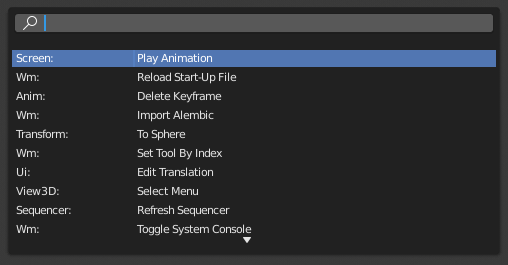
A pop-up menu with access to all Blender tools is available by pressing F3. Simply start typing the name of the tool you want to refine the list. When the list is sufficiently narrowed, LMB on the desired tool or navigate with Down and Up, activate it by pressing Return.
../../../_images/interface_controls_templates_operator-search_pop-up.png

O menu da pesquisa de operadores.

Veja também

The Spacebar Action option in the Preferences.

Next Previous

© Copyright : This page is licensed under a CC-BY-SA 4.0 Int. License

  • 2.82
    • Loading...
  • pt
    • Loading...