Combine Bundle Node
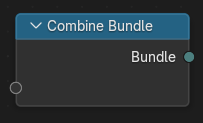
The Combine Bundle node creates a new Bundle from multiple input values. Each input becomes an element of the bundle, identified by its socket name. Values can be accessed in other parts of the node tree using the Separate Bundle
輸入
The node can contain an arbitrary number of input sockets. Each socket can be given a custom name and type. Supported types include (but not limited to):
Geometry
物體
Values (e.g. float, integer, boolean, vector, color)
Fields
Nested Bundles
屬性
Properties are available in the Node tab of the Sidebar.
- 同步接口
Updates the current node to match the socket signature of the connected nodes. Use this after renaming, adding, or removing sockets.
- Define Signature
Locks the current item list and types to stabilize interfaces when publishing node groups. When enabled, adding/removing items is disabled until the option is turned off.
Bundle Items
- List of bundle items
Displays one entry per element in the bundle. Double-click to rename.
- 新增項目
Add a new socket to the bundle.
- 移除項目
Delete the selected socket.
- Type
The data type for the selected item (e.g. Float, Vector, Geometry, Object, Bundle). For value types, a default value control is shown and used when the socket is unlinked.
輸出
- Bundle
The resulting bundle containing all defined inputs.