Simuleringsnoder
Through the use of Simulation Zones, Geometri-noder can be used to create custom physics simulations through nodes. Simulation zones allow the result of one frame to influence the next one. That way even a set of simple rules can lead to complex results, with the passing of time. The most common type of them is physics simulation, with specific solvers for physical phenomena.
Se även
Läs mer om Simuleringszoner
Bakning
The simulation is automatically cached during playback. The valid cache can be seen as a strong purple line in the timeline editor. This allows for animators to quickly inspect all the previous frames of a simulation.

Cachade bildrutor i tidslinjen.
När resultatet är klart att skickas till en renderings-anläggning kan det bakas till disk. Detta gör att simuleringen kan renderas i en icke sekventiell ordning.

Simulering och fysik, Geometry Nodes användargränssnitt.
Anteckning
Genom att baka simuleringen bakas alla simuleringar i alla modifierare för de valda objekten.
- Beräkna till ram
Beräkna simuleringar i geometrinodernas modifierare från start till aktuell bildruta.
- Baka
Bake simulations in geometry nodes modifiers. In order to bake the simulation, the blend-file must be saved to your computer. The location the file is saved determines where the baked data is also saved. The directory the baked data is saved to can be changed per modifier in the Internal Dependencies.
- Ta bort cachad simulering
Ta bort cachade/bakade simuleringar i modifierare för geometriska noder
- Cache
I de fall där den aktuella bildrutan är den enda relevanta kan användarna välja att inte cachelagra resultaten för att spara minne.
Exempel
Kombinerat med Index över närmaste kan detta användas för ett antal sfärbaserade simuleringar.
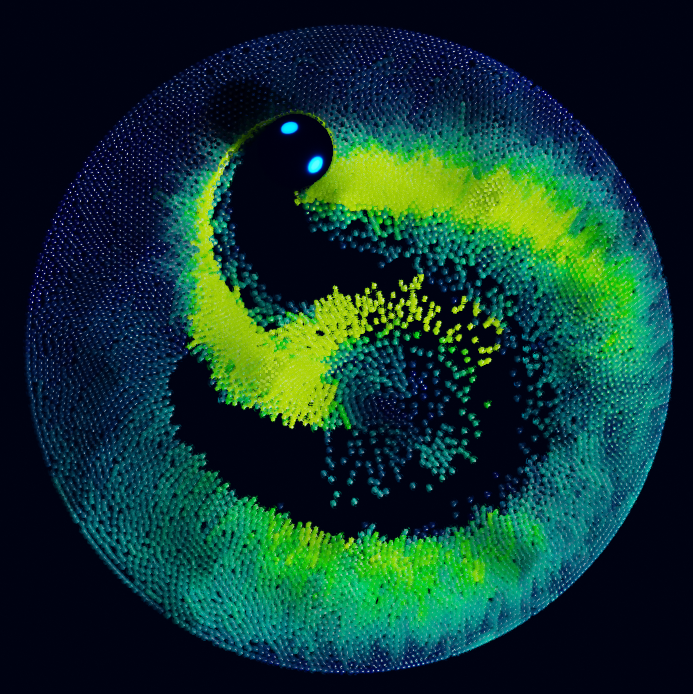
Index över närmaste exempelfil CC-BY Sean Christofferson.