Subsurface Scattering
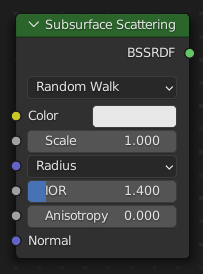
The Subsurface Scattering node is used to add simple subsurface multiple scattering, for materials such as skin, wax, marble, milk and others. For these materials, rather than light being reflect directly off the surface, it will penetrate the surface and bounce around internally before getting absorbed or leaving the surface at a nearby point.
How far the color scatters on average can be configured per RGB color channel. For example, for skin, red colors scatter further, which gives distinctive red-colored shadows, and a soft appearance.
Inputs
- Color
Color of the surface, or physically speaking, the probability that light is reflected for each wavelength.
- Scale
Global scale factor for the scattering radius.
- Radius
Average distance that light scatters below the surface. Higher radius gives a softer appearance, as light bleeds into shadows and through the object. The scattering distance is specified separately for the RGB channels, to render materials such as skin where red light scatters deeper. The X, Y and Z values are mapped to the R, G and B values, respectively.
- IOR Cycles Only
Index of refraction for Subsurface Scattering.
- Anisotropy Cycles Only
Directionality of volume scattering within the subsurface medium. Zero scatters uniformly in all directions, positive values scatter deeper into the object, and negative values scatter more backwards. For example, skin has been measured to have an anisotropy of 0.8.
- Roughness Cycles Only
Roughness of the glossy surface surrounding the subsurface volume.
- Normal
Normal used for shading; if nothing is connected the default shading normal is used.
Properties
- Subsurface Method
Rendering method to simulate Subsurface scattering.
- Christensen-Burley:
An approximation to physically-based volume scattering. This method is less accurate than Random Walk however, in some situations this method will resolve noise faster.
- Random Walk:
Cycles Only Provides accurate results for thin and curved objects. Random Walk uses true volumetric scattering inside the mesh, which means that it works best for closed meshes. Overlapping faces and holes in the mesh can cause problems.
- Random Walk (Skin):
Cycles Only Random walk method optimized for skin rendering. The radius is automatically adjusted based on the color texture, and the subsurface entry direction uses a mix of diffuse and specular transmission with custom IOR. This tends to retain greater surface detail and color and matches measured skin more closely.
- Random Walk (Legacy):
Cycles Only The same as Random Walk, but uses a different mapping from albedo to scattering parameters. Will be deleted in the future.
Outputs
- BSSRDF
BSSRDF shader output.
Examples
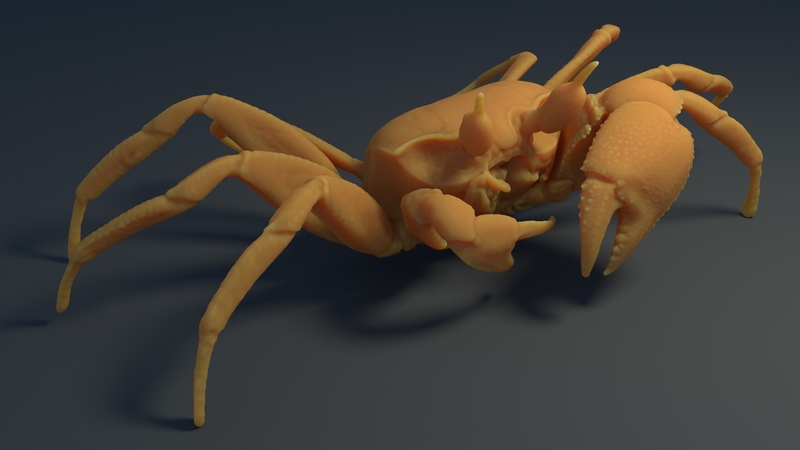
Random walk subsurface scattering.