Mirror
Interactive Mirror
Reference
- Mode:
Object and Edit Modes
- Menu:
- 단축키(hotkey):
Ctrl-M
The Mirror operator flips the selected elements around the Pivot Point along an axis of the Transformation Orientation. Mirroring is equivalent to scaling the selection by -1 along the selected axis, but it offers a faster and more direct workflow.
힌트
After mirroring a mesh, the face normals tend to get flipped inside out (see the Face Orientation overlay). The Flip Normals operator can fix this.
더 보기
The Symmetrize operator creates a mirrored copy of the mesh.
The Mirror Modifier creates a mirrored copy that’s automatically kept up to date.
사용법
Place the pivot point at the desired mirror location.
When not mirroring along a global axis, ensure the transform orientation has an axis pointing along the desired mirror direction (perpendicular to the mirror plane).
Press Ctrl-M to activate the Mirror operator.
Choose an axis by dragging with MMB or by pressing X, Y, or Z. (The chosen axis is shown at the top of the 3D Viewport.) Press an axis key a second time to toggle between the transform orientation axis and the global axis.
Press LMB or Return to confirm, or RMB or Esc to cancel.
Options
- Orientation
The transform orientation to take the Constraint Axis from.
- Constraint Axis
The axis (or axes) to mirror across. For example, mirroring across the X axis flips the selection horizontally.
X/Y/Z Global
Reference
- Mode:
Object and Edit Modes
- Menu:
These operations perform a non-interactive mirror along the global X, Y, or Z axis.
X/Y/Z Local
Reference
- Mode:
Object and Edit Modes
- Menu:
These operations perform a non-interactive mirror along the object’s local X, Y, or Z axis.
예시
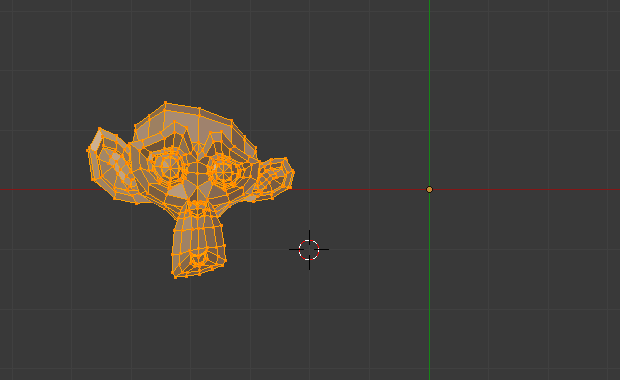
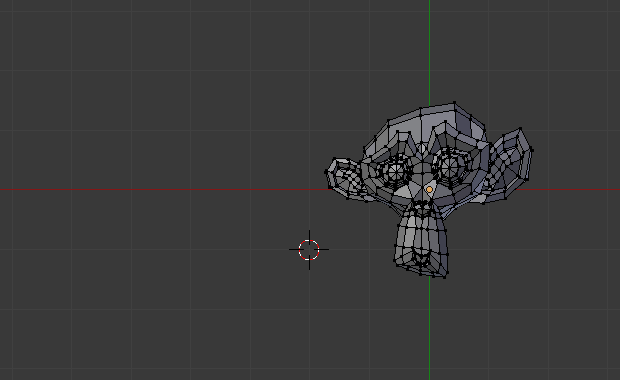
Mirroring along the global X axis around the object origin:
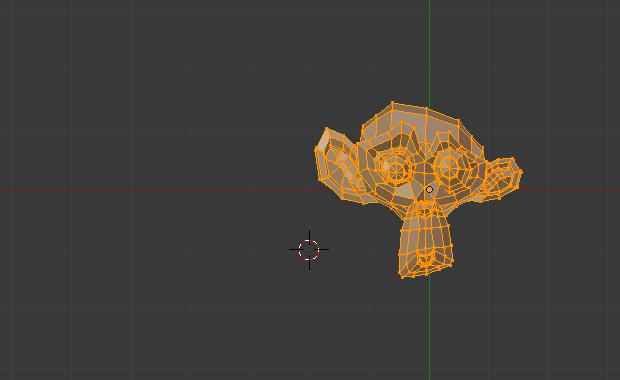
Mirroring around the 3D Cursor: