模拟节点#
Through the use of Simulation Zones, 几何节点 can be used to create custom physic simulations through nodes. Simulation zones allow the result of one frame to influence the next one. That way even a set of simple rules can lead to complex results, with the passing of time. The most common type of them is physics simulation, with specific solvers for physical phenomena.
See also
了解更多关于模拟区
烘焙#
播放时,系统会自动缓存模拟数据。有效缓存可在时间线编辑器中显示为一条醒目的黄色线条。这使得动画师能够快速查看模拟过程中所有先前的帧画面。
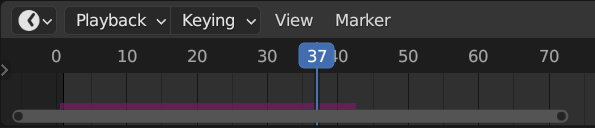
时间线内的已烘焙帧。#
当渲染结果准备发送至渲染农场时,即可进行磁盘存储。这使得模拟能够以非顺序方式渲染。
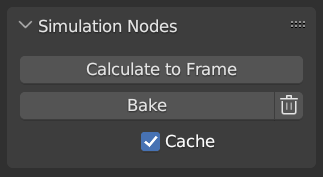
模拟与物理、几何节点用户界面。#
Note
烘焙模拟将会烘焙所选物体中所有修改器的所有模拟数据。
- 计算至帧
从起始帧到当前帧计算几何节点修改器中的模拟数据。
- 烘焙
Bake simulations in geometry nodes modifiers. In order to bake the simulation, the blend-file must be saved to your computer. The location the file is saved determines where the baked data is also saved. The directory the baked data is saved to can be changed per modifier in the Internal Dependencies.
- 删除缓存的模拟
删除几何节点修改器中已缓存/已烘焙的模拟数据
- 缓存
For the cases where the current frame is the only one relevant, users can opt-out of caching the results to save memory.
示例#
结合最近编号,可应用于多种基于球体的模拟。
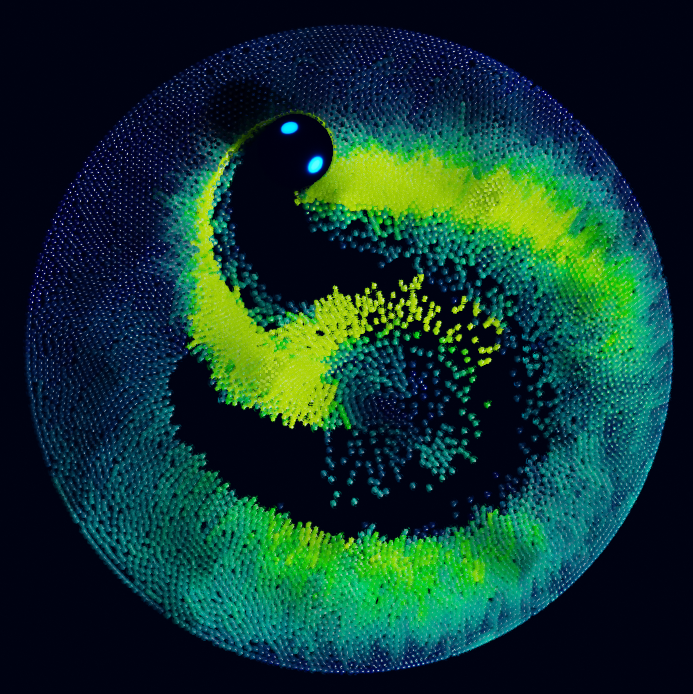
最近编号示例文件 CC-BY Sean Christofferson.#