Side of Active (Actieve Zijde)
Reference (Referentie)
- Mode (Modus):
Edit Mode (Bewerkingsmodus)
- Menu:
Selects all the vertices that are (for example) to the right of the active vertex.
Options (Opties)
- Axis Mode (As-modus)
The transform orientation from which to take the Axis.
- Axis Sign
Select the vertices whose Axis coordinate is…
- Positive Axis
…greater than or equal to that of the active vertex.
- Negative Axis
…less than or equal to that of the active vertex.
- Aligned Axis (Uitgelijnde As)
…equal to that of the active vertex.
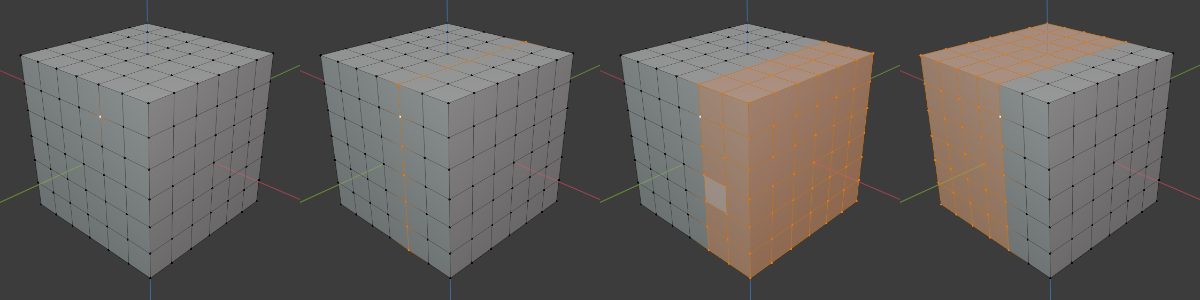
From left to right: initial selection, Positive, Negative, Aligned.
- Axis (As)
The axis along which to compare coordinates.
- Threshold (Drempel)
Tolerance for vertices that are slightly outside of the coordinate range.