Simulation Nodes
Through the use of Simulation Zones, Nodes de geometria can be used to create custom physic simulations through nodes. Simulation zones allow the result of one frame to influence the next one. That way even a set of simple rules can lead to complex results, with the passing of time. The most common type of them is physics simulation, with specific solvers for physical phenomena.
Vegeu també
Read more about Simulation Zones
Precuinat
La simulació s’emmagatzema automàticament a la memòria cau durant la reproducció. La memòria cau vàlida es pot veure com una línia groga forta a l’editor de cronograma. Això permet als animadors inspeccionar ràpidament tots els fotogrames anteriors d’una simulació.

Fotogrames de memòria cau al Cronograma.
Quan el resultat està llest per enviar a una granja de revelat, es pot precuinar al disc. Això permet que la simulació es reveli en un ordre no seqüencial.
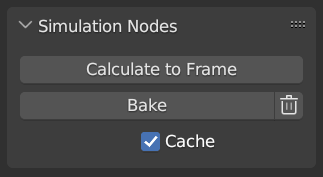
Simulation and Physics, Geometry Nodes user interface.
Nota
Precuinar la simulació precuinarà totes les simulacions en tots els modificadors per als objectes seleccionats.
- Calculate to Frame
Calculate simulations in geometry nodes modifiers from the start to current frame.
- Precuinar
Bake simulations in geometry nodes modifiers. In order to bake the simulation, the blend-file must be saved to your computer. The location the file is saved determines where the baked data is also saved. The directory the baked data is saved to can be changed per modifier in the Internal Dependencies.
- Delete Cached Simulation
Delete cached/baked simulations in geometry nodes modifiers
- Memòria cau
For the cases where the current frame is the only one relevant, users can opt-out of caching the results to save memory.
Exemples
En combinació amb el Índex del més pròxim, això es pot utilitzar per a una sèrie de simulacions de base esfèrica.
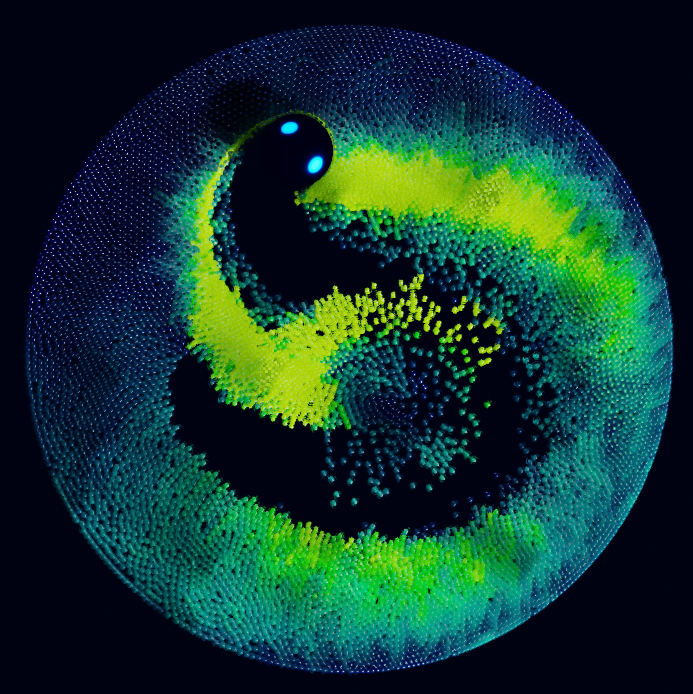
Índex del document de mostra més proper: CC-BY Sean Christofferson.