Espelhar
Interactive Mirror
Referência
- Mode:
Object and Edit Modes, Video Sequencer Preview
- Menu:
- Atalho:
Ctrl-M
The Mirror operator flips the selected elements across a chosen axis. Mirroring objects, geometry, or curves is equivalent to scaling the selection by -1 along the selected axis, but it offers a faster and more direct workflow.
When mirroring VSE strips, the selected axis” mirror value gets changed instead of scaling by -1. The rotation and position are also changed to achieve the same effect as when mirroring objects.
The mirror is relative to the Transformation Orientation and Pivot Point This gives full control over how and where the mirroring occurs, for example:
Position the pivot point wherever you want the center of symmetry.
Choose a transformation orientation (e.g. Global, Local, Normal).
Select an axis (X, Y, or Z) along which to mirror.
Dica
To mirror non-destructively, use the Mirror Modifier.
Uso
To mirror along a specific axis:
Press Ctrl-M, then X, Y, or Z to select an axis.
Pressing the same key again toggles the orientation between the active Transform Orientation and the global orientation.
Hold MMB and drag to mirror interactively in the desired direction.
Propriedades
- Orientation
The Transform Orientation used to align the X, Y, and Z axes.
- Constraint Axis
The axis (or axes) to mirror across. For example, mirroring across the X axis flips the selection horizontally.
X/Y/Z Global
Referência
- Mode:
Object and Edit Modes, Video Sequencer Preview
- Menu:
These operations perform a non-interactive mirror along the global X, Y, or Z axis.
- X Global
Mirrors the selection along the global X axis.
- Y Global
Mirrors the selection along the global Y axis.
- Z Global
Mirrors the selection along the global Z axis.
X/Y/Z Local
Referência
- Mode:
Object and Edit Modes, Video Sequencer Preview
- Menu:
These operations perform a non-interactive mirror along the object’s local axes.
- X Local
Mirrors the selection along the object’s local X axis.
- Y Local
Mirrors the selection along the object’s local Y axis.
- Z Local
Mirrors the selection along the object’s local Z axis.
Examples
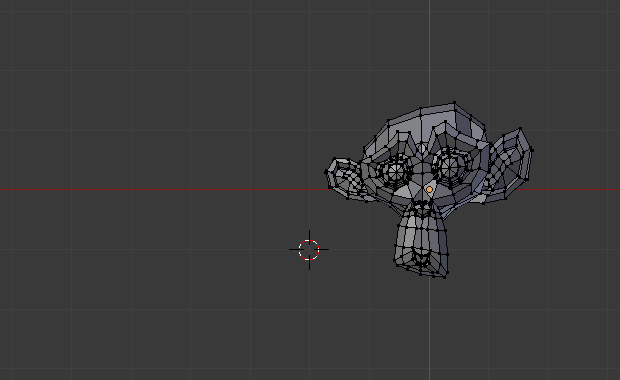
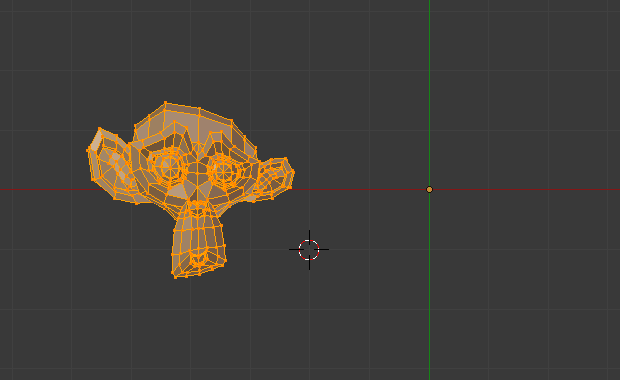
Mesh before mirroring.¶ |
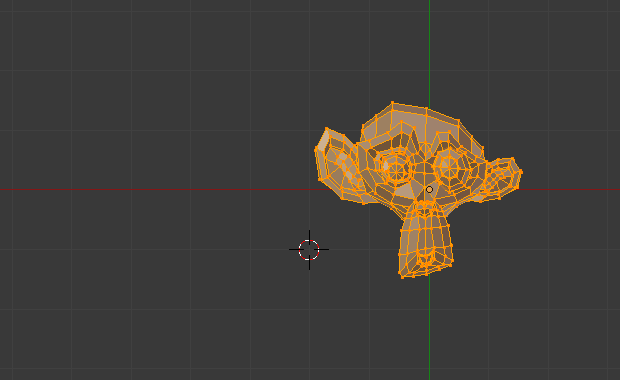
Mesh after mirroring along the X axis.¶ |
The next example shows mirroring around the 3D Cursor, with the orientation set to Local: