Smooth Vertices
Referência
- Mode:
Edit Mode
- Menu:
,
Moves the selected vertices so that the surface around them becomes more smooth and rounded.
The following options are available in the Adjust Last Operation panel:
- Suavização
Smoothing factor.
- Repetir
The number of smoothing iterations.
- Eixos
Limit the effect to certain axes.
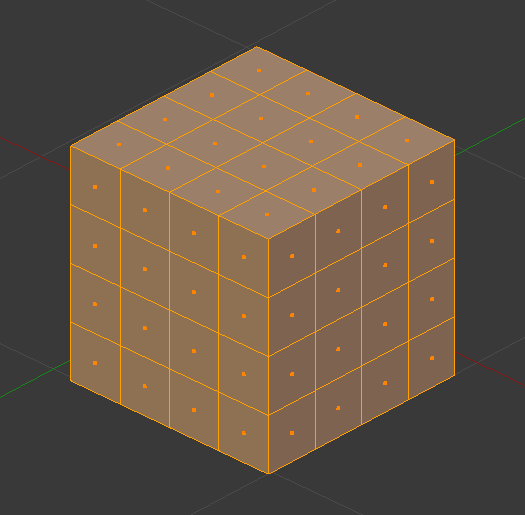
Malha antes da suavização.¶ |
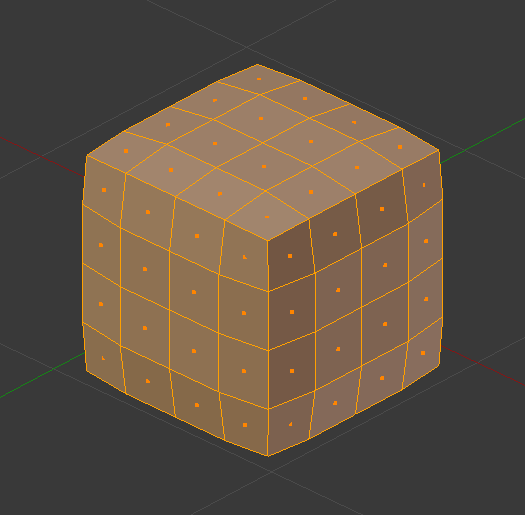
Malha depois de uma iteração de suavização.¶ |
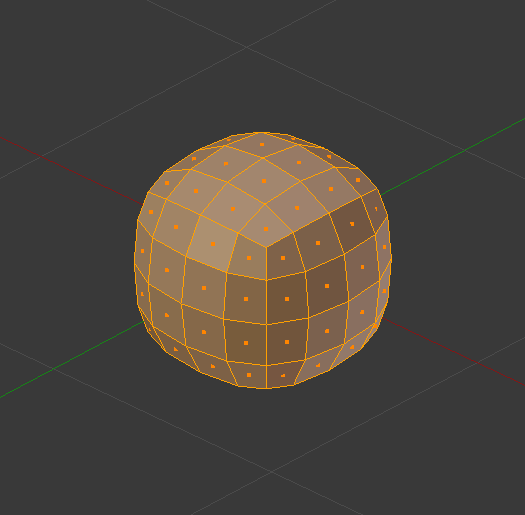
Malha após dez iterações de suavização.¶ |
Dica
If the mesh has insufficient geometry density and would still look blocky after smoothing, you can subdivide it first.
Alternatively, use the Subdivision Surface Modifier to subdivide and smooth the mesh in one go. This uses a more complex smoothing algorithm, however, so the result won’t be quite the same.
Veja também
The Modificador Smooth performs this operation non-destructively.
Nota
The Smooth Faces operator sounds similar to this one but is unrelated. It’s called Shade Smooth in other parts of the UI and merely changes the vertex normals to make the mesh appear more smooth. It doesn’t smooth out vertex positions like Smooth Vertices does.