Format String Node
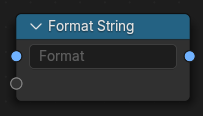
The Format String node inserts values into a string using either a Python compatible string format syntax or Blender's format specifier syntax.
This node simplifies string construction, allowing values to be combined and formatted without converting numbers to strings or using multiple concatenate nodes.
Xem thêm
Python Syntax references: - Python Format String Syntax - {fmt} Format String Syntax
Đầu Vào (Inputs)
- Định Dạng/Hình Thức (Format)
A string using either python format style or Blender's format specifier. For example,
Count: {}inserts the first input value in place of the {}.
Additional input values (Float, Integer, or String) can be managed in the Format Items list in the sidebar.
Tính Chất (Properties)
Format Items
A list view. to manage the dynamic list of inputs used in the format string. Each entry corresponds to a value that can be inserted into the format using a placeholder. See Input Naming Behavior to understand how inputs must be named.
- Loại Ổ Cắm [Socket Type]
The type of value for this input:
- Số Thực (Float):
A floating-point number (e.g.
3.14).- Số Nguyên (Integer):
An integer number (e.g.
42).- Chuỗi Ký Tự/String:
A text string.
Đầu Ra (Outputs)
- Chuỗi Ký Tự/String
The formatted string.
Ghi Chú (Notes)
Supports both unnamed (
{}) and named ({name}) placeholders. However, all unnamed placeholders must appear before any named ones.Only float, integer, and string inputs are supported.
Python-style conversions such as
!rare not supported.Sub-attribute access (e.g.
{vector.x}) is not supported.Percent-based formatting (e.g.
%d,%s) is not supported.Alternate form specifiers using
#(e.g.{:#x}) are not supported.Locale-based formatting using
L(as in the fmt library) is not supported.Grouping options like thousands separators (e.g.
{:,}or{:_}) are not supported.
Input Naming Behavior
Each input must have a unique, valid identifier name used in placeholders (e.g. {value}).
This node uses special logic to automatically assign names to new inputs:
If connected, the first character of the linked socket's name is used.
Otherwise, names default to letters
athroughz.If needed, the original socket name is converted to a valid identifier.
If all else fails, a unique suffix is appended (e.g.
_001,_002).
Quan trọng
Input names must be valid identifiers and must be unique. If a name is invalid, the format operation may fail or produce incorrect output.
Một Số Ví Dụ (Examples)
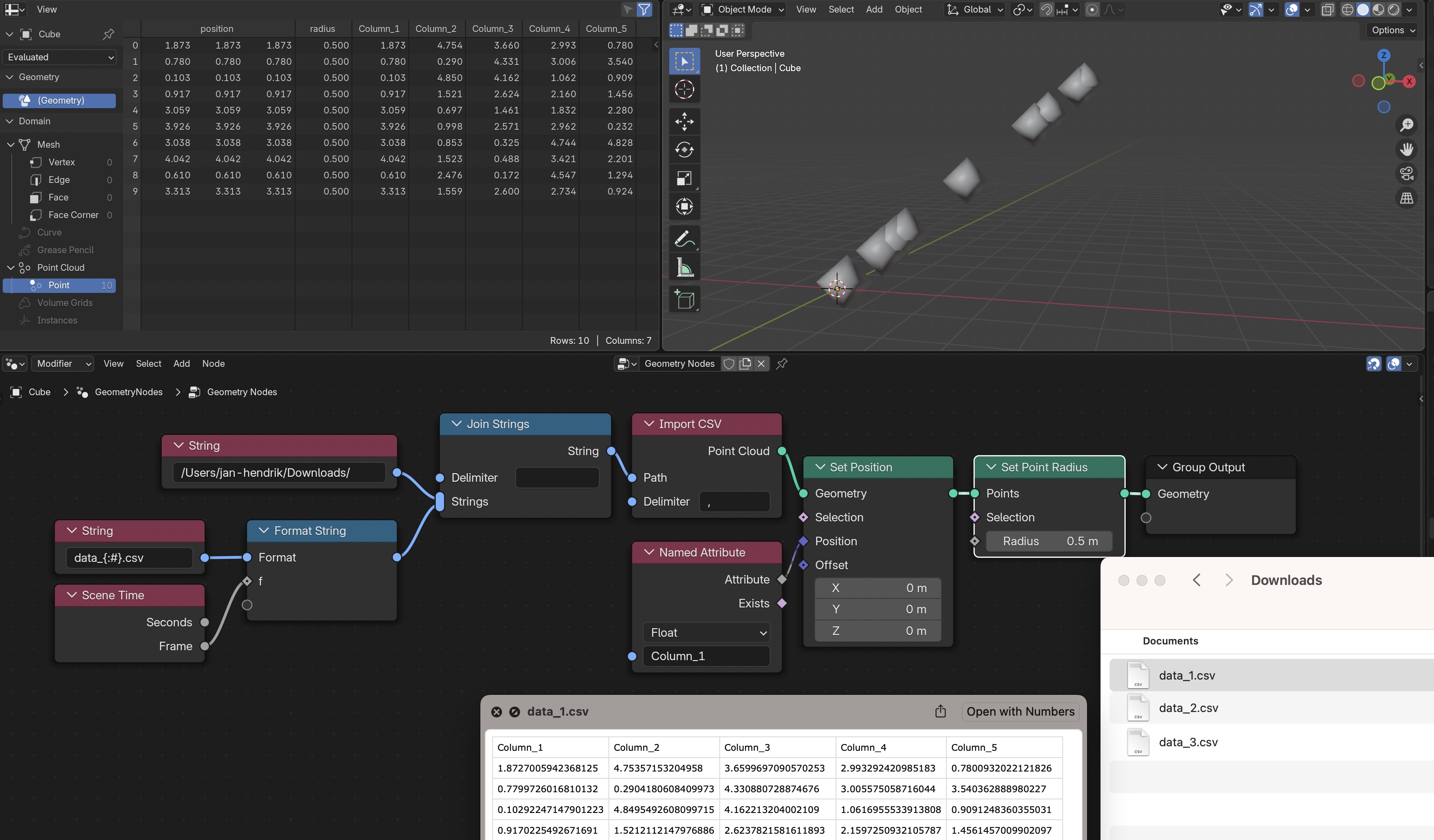
Cơ Bản [Basic]
Format:
Count: {}Inputs: Integer with value 5
Result:
Count: 5
Multiple Values
Format:
X: {}, Y: {}Inputs: Float 1.5, Float 2.0
Result:
X: 1.5, Y: 2.0
Named Inputs
Format:
Size: {width} x {height}Inputs: width=1920, height=1080
Result:
Size: 1920 x 1080
Padded Numbers
Format:
Frame_{:04}Inputs: Integer 12
Result:
Frame_0012
Number Format (Template Style)
Format:
##.00Input: Float 3.1415
Result:
03.14
Path with Frame Number
Format:
/output/image_{:04}.pngInput: Integer 42
Result:
/output/image_0042.png