Knife Project(ナイフ投影)
参照
- Mode(モード):
Edit Mode(編集モード)
- Menu(メニュー):
Projects the outline of one or more "cookie cutter" objects onto the edited object and creates new edges there.
The cutter objects must be Curves or non-manifold meshes (e.g. flat shapes, loose edges).
Tip
Select Non-Manifold will highlight the cutting edges of mesh objects.
Projection is done along the viewing direction.
使用方法
Select the object(s) that should receive the cut and switch to Edit Mode.
Select the object(s) that should perform the cut by clicking them with Ctrl-LMB in the 3D Viewport or the Outliner.
Click in the menu.
If Blender switches back to Object Mode when selecting the cutting objects, make sure that is checked in the topbar.
Options(オプション)
- Cut Through(透過カット)
Projects the cut through the entire mesh, including back faces not currently visible.
例
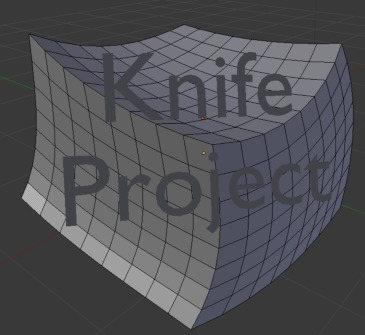
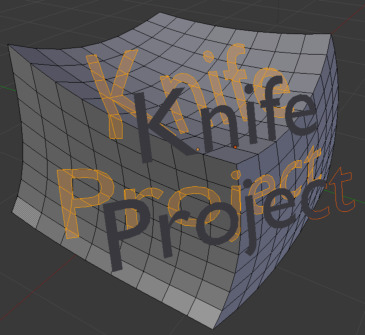
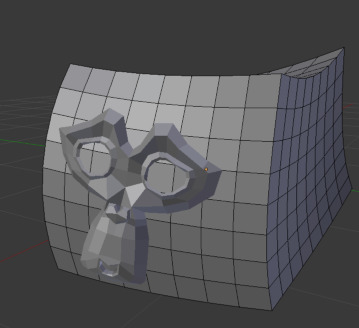
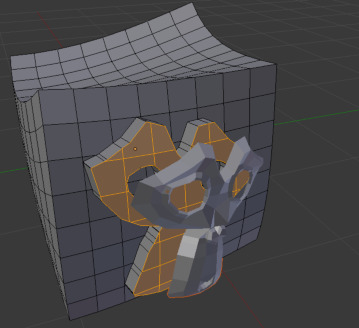
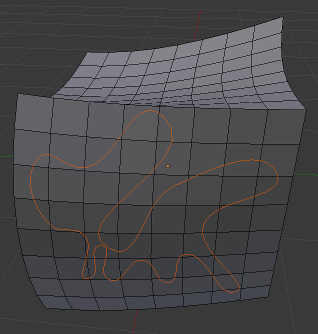
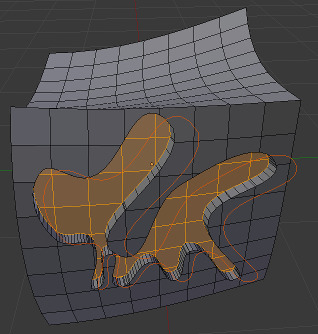
既知の制限
Edit Mode(編集モード) で複数のメッシュを一度にカットする場合、これらのメッシュのジオメトリは、後にある個別のメッシュオブジェクトを遮りません。