Compositing Workspace
The default Compositing workspace is designed to provide an efficient layout for building and previewing compositing node setups.
It arranges commonly used editors so that node editing, visual feedback, and animation control are available at the same time.
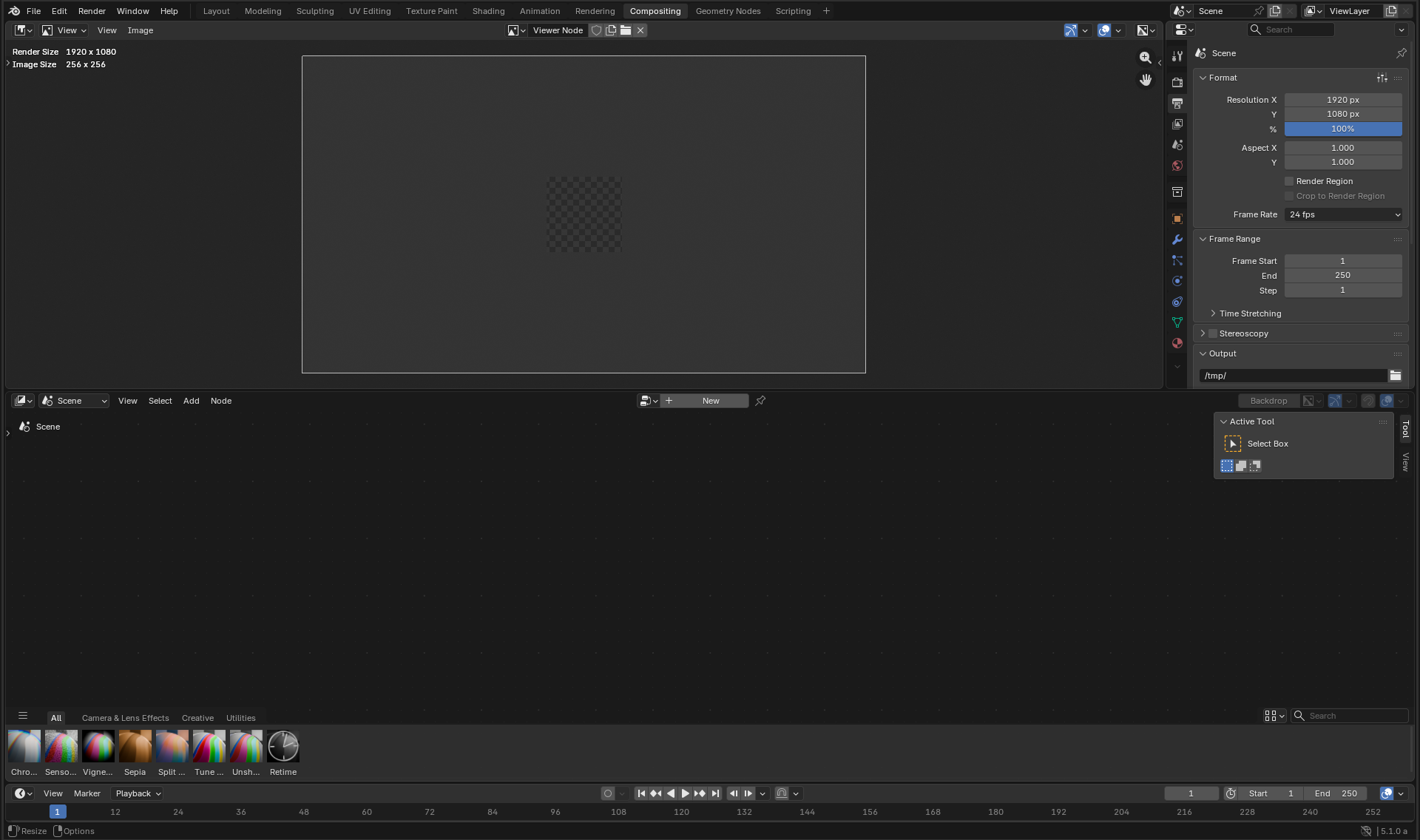
The default Compositing workspace.
Image Editor(画像エディター)
At the top of the workspace is a large Image Editor, typically set to display the output of a Viewer node. This provides immediate visual feedback of the current compositing result as nodes are edited or adjusted.
The Image Editor can be switched to other image sources if needed, but by default it is optimized for previewing the compositor output. See Image Editor for more details.
Properties Editor
To the right of the Image Editor is the Properties Editor. This editor provides access to settings that influence compositing, such as render settings, color management, and output options.
Relevant panels include:
See Properties Editor for a full overview.
Compositor(コンポジター)
Below the Image Editor is the Compositor editor, where node trees are created and edited. See Compositor for an introduction to node-based compositing.
The Compositor includes an Asset Shelf, which allows compositing node group assets to be quickly dragged and dropped into the node tree. This makes it easy to reuse common effects, utilities, and production-ready node groups.
Timeline(タイムライン)
At the bottom of the workspace is the Timeline. It allows scrubbing through frames, controlling playback, and animating values that affect the compositing process.
This is especially useful when compositing image sequences or video, or when animating node parameters. See Timeline for more information.
Together, these editors form a workflow-focused layout that supports interactive compositing, asset reuse, and time-based effects.