Curve Data
参照
- Editor(エディター):
3D Viewport(3Dビューポート)
- Mode(モード):
Edit Mode(編集モード)
- Menu(メニュー):
The Curve Data panel in Edit Mode provides settings that affect the currently active Grease Pencil curve. These options control how the stroke is evaluated, displayed, and rendered.
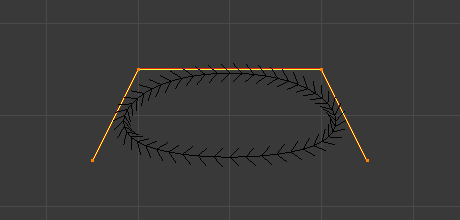
- Cyclic(ループ)
Closes the active spline by connecting the last control point back to the first.
When enabled, the curve forms a continuous loop. When disabled, the spline remains open.
- Knot Mode NURBS
Controls how knots are generated along the NURBS spline, which affects parametrization and shape behavior.
- Normal(ノーマル):
Uses evenly spaced knots. Produces a smooth curve influenced uniformly by control points.
- Endpoint:
Clamps the curve so it passes through the first and last control points.
- Bezier:
Makes the NURBS curve behave similarly to a Bézier curve. The NURBS control points act like Free Bézier handles.
- Endpoint Bezier:
Combines endpoint clamping with Bézier-like behavior.
- Custom(カスタム):
Allows manual control of knot values.
- Order NURBS
Defines the mathematical order of the NURBS curve. The order determines how many control points influence each evaluated segment of the curve.
Higher values mean that each control point influences a larger portion of the curve, resulting in smoother transitions. Lower values reduce influence and create sharper transitions.
The valid range for Order is typically 2-6, depending on the number of control points present.
- Resolution NURBS Bézier Catmull Rom
Adjusts the resolution of each segment by changing the number of subdivisions used when evaluating the spline.
Higher resolution values produce smoother curves but increase computational cost. Lower values reduce detail but improve performance.
- Fill Opacity
Controls the opacity of the fill area of the stroke. A value of 0 makes the fill fully transparent, while higher values increase its visibility.
- Start Cap
Defines the shape of the beginning of the stroke.
- Round(丸め):
Adds a rounded cap at the start of the stroke.
- Flat(フラット):
Ends the stroke with a flat edge.
- End Cap
Defines the shape of the end of the stroke.
- Round(丸め):
Adds a rounded cap at the end of the stroke.
- Flat(フラット):
Ends the stroke with a flat edge.
- Softness(柔らかさ)
Controls how smoothly the fill transitions toward the stroke boundary. Higher values create a softer falloff near the edges.
- U Scale
Scales the stroke's texture coordinates along its length. Useful for controlling how materials or texture patterns repeat along the stroke.
- Aspect Ratio(アスペクト比)
Controls the scaling relationship between the stroke's width and height when using certain material or texture effects. Adjusting this value can stretch or compress fill and stroke patterns.