Nguyên Vật Liệu Bút Chì Dầu Tính Chất [Grease Pencil Material Properties]
Grease Pencil materials define how strokes and fills are rendered. Each stroke references a single material, and that material contains separate settings for its Stroke and Fill components.
The Material Properties panel provides tools to manage material slots, control visibility and locking, and configure the appearance of stroke and fill shading.
Khe Nguyên Vật Liệu (Material Slots)
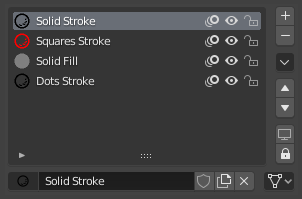
Grease Pencil material slots panel.
Material slots assign materials to the Grease Pencil object. Each stroke stores a reference to one of these material slots.
The active material is used for newly created strokes. Existing strokes keep their assigned material unless changed manually.
Next to each material name are controls for common visibility and editing options:
- / (Show/Hide in Ghosts)
Controls whether the material is visible in Onion Skinning previews.
- / (Hide/Show Material)
Toggles the visibility of strokes using this material in the viewport.
- / (Lock/Unlock Material)
Prevents strokes using this material from being edited in Edit Mode.
Đặc Biệt (Specials)
These operators provide bulk control over material visibility and locking:
- Hiển Thị Toàn Bộ (Show All)
Enable visibility for all materials.
- Ẩn Giấu những cái Khác (Hide Others)
Hide all materials except the active one.
- Khóa Toàn Bộ (Lock All)
Lock all materials to prevent editing.
- Mở Khóa Toàn Bộ (Unlock All)
Unlock all materials for editing.
- Khóa cái Không Chọn (Lock Unselected)
Lock materials not used by the currently selected strokes.
- Khóa cái Không Sử Dụng (Lock Unused)
Lock and hide materials not assigned to any stroke.
- Sao Chép Nguyên Vật Liệu sang cái được Chọn (Copy Material to Selected)
Copy the active material to selected Grease Pencil objects.
- Sao Chép Toàn Bộ các Nguyên Vật Liệu sang cái đã Chọn (Copy All Materials to Selected)
Copy all material slots to selected Grease Pencil objects.
- Xóa các Khe Không Sử Dụng Đến (Remove Unused Slots)
Remove material slots that are not assigned to any strokes.
Khóa & Ẩn-Hiện/Tầm Nhìn các Điều Khiển [Lock & Visibility Controls]
- (Isolate Material)
Lock all other materials so only the active material can be edited.
- (Isolate Material)
Hide all other materials so only the active material is visible.
Bề Mặt (Surface)
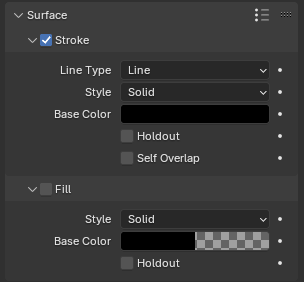
Shader panel with only Stroke component enabled.
The Surface panel defines the visual appearance of strokes and fills. Each material contains two independent components:
Stroke -- Controls the outline rendering.
Fill -- Controls the interior rendering of closed strokes.
Each component can be enabled or disabled independently.
Nét Vẽ (Stroke)
The Stroke component defines how the line itself is drawn.
- Kiểu Đường Nét (Line Type)
Defines how the stroke geometry is rendered.
- Đường Nét/Thẳng/Dòng (Line):
Renders a continuous line connecting stroke points.
- Dấu Chấm (Dots):
Draws a circular shape at each stroke point. Points are not connected.
- Vuông/Hình Vuông (Squares):
Draws a square shape at each stroke point. Points are not connected.
- Kiểu (Style)
Determines how the stroke is shaded.
- Lập Thể (Solid):
Uses a uniform base color.
- Chất Liệu [Texture]:
Uses an image texture mapped along the stroke.
- Hình Ảnh (Image)
Image data-block used as the texture source.
- Pha Trộn [Blend]
Mix factor between the texture and the Base Color.
- Hệ Số (UV Factor)
Controls texture scaling along the stroke length.
- Placement Dots Squares
Defines how dots or squares are distributed along strokes.
- Số Lượng (Count):
Places a fixed number of dots on each stroke segment.
This mode keeps the number of generated shapes consistent regardless of the stroke length or thickness.
- Số Lượng (Count)
Number of dots to place on each stroke segment.
- Bán Kính (Radius):
Places dots based on the stroke radius, adapting the spacing to the stroke thickness.
Larger stroke radii produce wider spacing between dots, while smaller radii place them closer together.
- Phân Khoảng (Spacing)
Distance between dots as a percentage of their diameter.
Lower values create overlapping or tightly packed dots, while higher values increase the gap between each generated shape.
- Tỷ Trọng/Mật Độ (Density):
Places dots based on the stroke length.
Longer strokes generate more dots while shorter strokes generate fewer, maintaining a more uniform visual density along the stroke.
- Tỷ Trọng/Mật Độ (Density)
Number of dots generated along the stroke length.
Higher values create more densely packed dots.
- Màu Nền
The primary color of the stroke.
- Giữ Chỗ (Holdout)
Makes the stroke act as a mask, removing color from underlying strokes and fills.
- Căn Chỉnh (Alignment)
Controls orientation of Dots and Squares.
- Đường Đi/Dẫn (Path):
Aligns to the drawing direction and object rotation.
- Object (Đối Tượng):
Aligns only to the object's rotation.
- Cố Định (Fixed):
Aligns to screen space.
- Xoay Chiều (Rotation)
Rotates the Dots or Squares shapes. Limited to -90° to 90°.
- Tự Đè Gối Bản Thân (Self Overlap)
Controls how overlapping parts of the same stroke blend, particularly with semi-transparent materials.
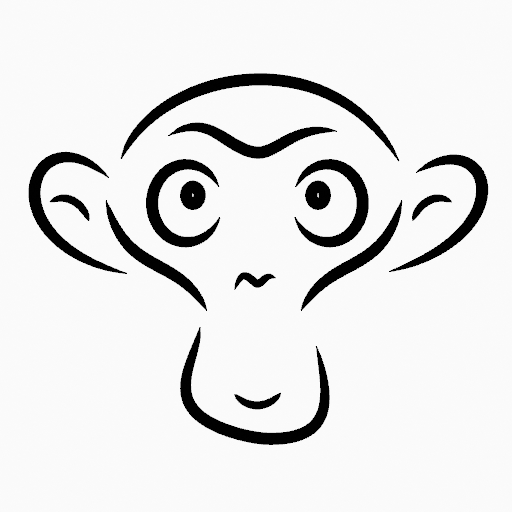
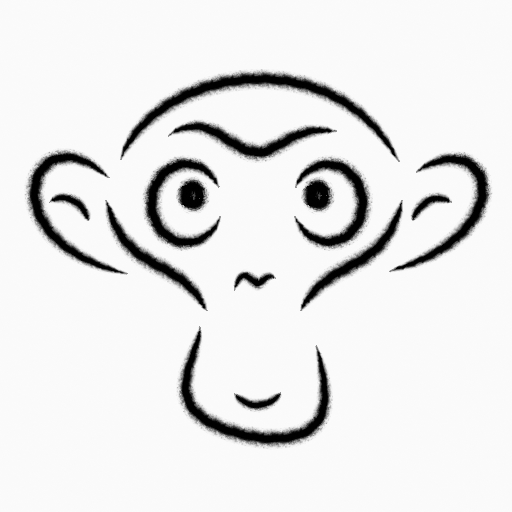
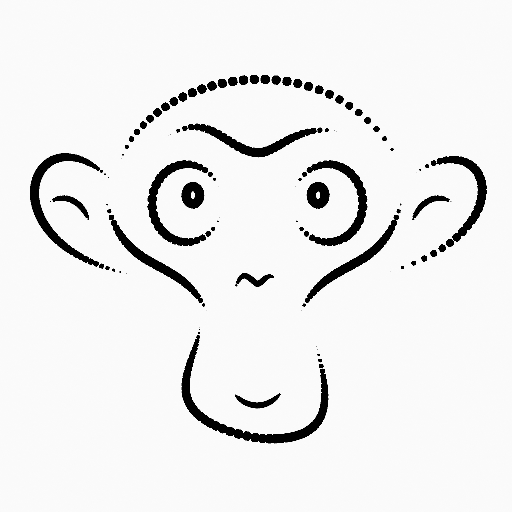

Ngẫu Nhiên Hóa (Randomize)
Adds random variation to generated dots or squares to create a less uniform appearance.
- Kích Thước (Size)
Randomly varies the size of generated shapes.
Higher values increase the variation between larger and smaller dots.
- Độ Đậm/Sức Mạnh/Cường Độ (Strength)
Randomly varies the opacity of generated shapes.
This can create a more natural or textured appearance.
- Xoay Chiều (Rotation)
Randomly rotates generated shapes around their center.
This is most noticeable when using square shapes.
- Hue (Sắc Màu)
Randomly varies the hue of generated shapes.
- Saturation (Độ Bão Hòa)
Randomly varies the saturation of generated shapes.
- Value (Giá Trị)
Randomly varies the brightness of generated shapes.
- Tỷ Lệ của Nhiễu (Noise Scale)
Controls the scale of the random noise pattern.
Lower values create smoother variation across the stroke, while higher values produce more rapidly changing randomization.
Phủ Kín (Fill)
The Fill component controls rendering of closed stroke regions.
- Kiểu (Style)
Defines how the fill is shaded.
- Lập Thể (Solid):
Uses a single base color.
- Dốc Màu (Gradient):
Blends between two colors.
- Thể Loại Dốc Màu (Gradient Type)
- Tuyến Tính (Linear):
Blends along one axis.
- Tỏa Tròn (Radial):
Blends outward from a center point.
- Chất Liệu [Texture]:
Uses an image texture.
- Hình Ảnh (Image)
Image data-block used for the fill texture.

Lập Thể (Solid)¶ |
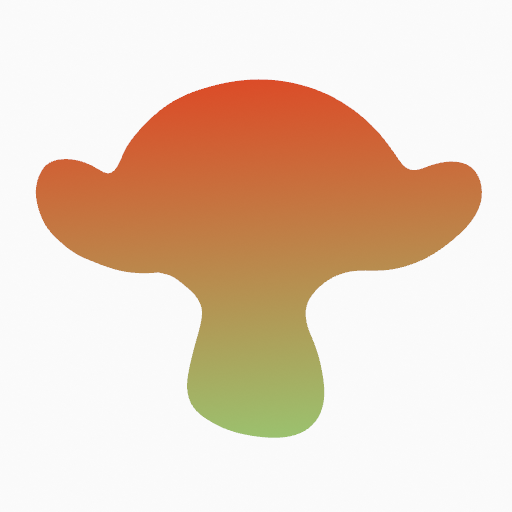
Dốc Màu [Gradient] (Tuyến Tính [Linear])¶ |
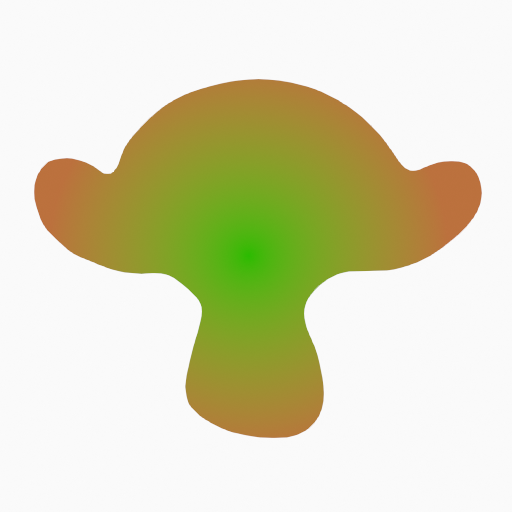
Gradient (Radial)¶ |
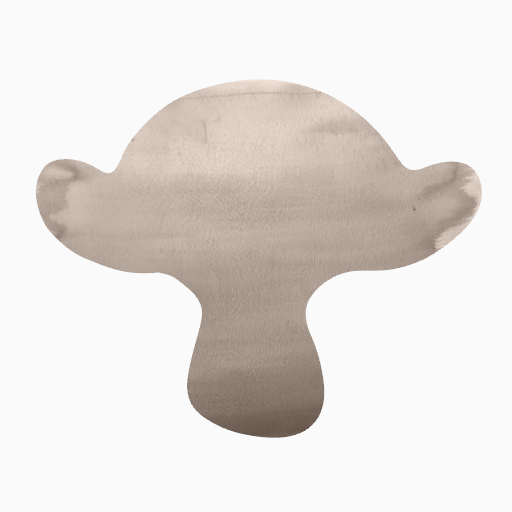
Chất Liệu [Texture]¶ |
- Màu Nền
Primary fill color.
- Màu Phụ [Secondary Color] Dốc Màu (Gradient)
Secondary color used for gradients.
- Giữ Chỗ (Holdout)
Makes the fill act as a mask, removing color from strokes underneath.
- Pha Trộn/Chuyển Đổi [Blend] Dốc Màu (Gradient / Texture)
Controls mixing between Base Color and the gradient or texture.
- Đảo Màu [Flip Colors] Dốc Màu (Gradient)
Swaps Base and Secondary colors.
- Location X, Y Gradient / Texture
Offsets gradient or texture coordinates.
- Xoay Chiều [Rotation] Dốc Màu (Gradient / Texture)
Rotates the gradient or texture mapping.
- Tỷ Lệ X, Y [Scale X, Y] Dốc Màu (Gradient / Texture)
Scales the gradient or texture mapping.
- Không Nhắc Lại Hình Ảnh [Clip Image] Chất Liệu (Texture)
Prevents texture tiling when enabled.
Các Sắp Đặt (Settings)
- Chỉ Số Lượt (Pass Index)
Custom integer identifier for use in modifiers and compositing. Can be used to target specific materials in Grease Pencil Modifiers.