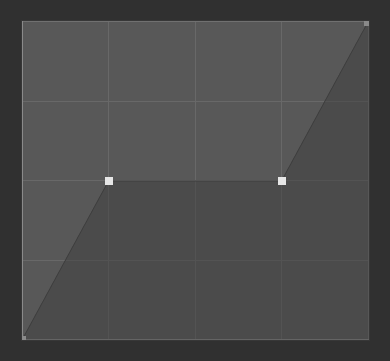
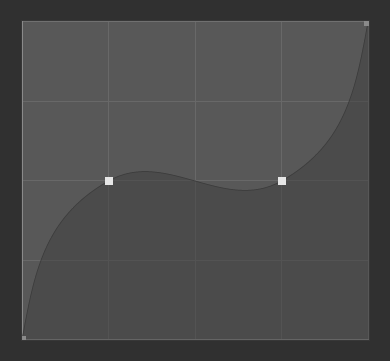
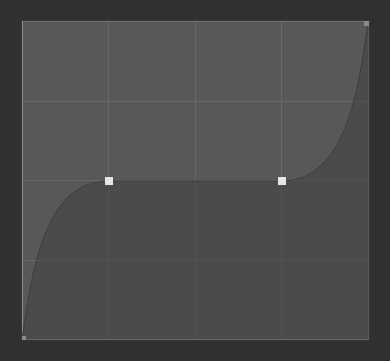
Thành Tố Điều Khiển Đường Cong (Curve Widget)
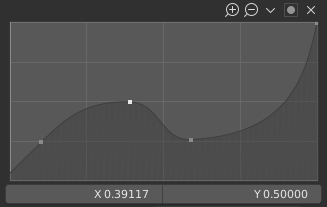
Thành tố điều khiển đường cong.
This widget is used to edit two types of curves:
Profile curves that simply describe a two-dimensional shape.
Mapping curves that map an input value on the X axis to an output value on the Y axis.
The available options are slightly different depending on this type. Also, unlike profile curves, mapping curves can't have overhang: each X value must correspond to exactly one Y value.
Điểm Điều Khiển (Control Points)
Like all curves in Blender, the curve in this widget is defined using control points.
- Thêm (Add)
Click LMB anywhere on the curve where there is not already a control point.
- Di Chuyển (Move)
Drag the point with LMB.
- Xóa (Remove)
Select the point and click the button at the bottom right. Alternatively, press X.
Các Điều Khiển (Controls)
- Zoom In
Zoom in to show more details and provide more accurate control. To navigate around the curve while zoomed in, click and drag with LMB in an empty area.
- Zoom Out
Zoom out to show fewer details and view the curve as a whole. You cannot zoom out further than the clipping region (see Clipping below).
- Reverse Path Profile Curves
Mirror the curve around the diagonal.
- Clipping Options Mapping Curves
- Sử Dụng Cắt Xén (Use Clipping)
Force curve points to stay between the specified values.
- Tối Thiểu X/Y và Tối Đa X/Y (Min X/Y and Max X/Y)
Đặt giới hạn tối thiểu và tối đa của các điểm đường cong.
- Specials
- Hoàn Lại Khung Nhìn (Reset View)
Zoom the view all the way out.
- Extend Options Mapping Curves
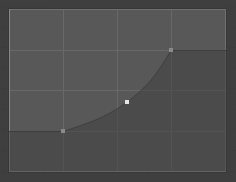
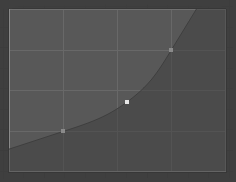
Controls how the curve is extended before the first point and after the last point.
- Mở Rộng Chiều Ngang (Extend Horizontal)
Causes the curve to "go flat."
- Nới Rộng Ngoại Suy (Extend Extrapolated)
Causes the curve to maintain its direction.
- Hoàn Lại Đường Cong (Reset Curve)
Resets the curve to the default (removes all added points).
- Kiểu Tay Cầm (Handle Type)
The handle type of the selected control point. This determines the shape of the curve segments around it.
- Auto Handle
Results in a smooth curve without the need to manually set up handles.
- Vector Handle
Results in straight lines and a sharp corner.
- Free Handle Profile Curves
Shows freely movable Bézier handles that are independent of each other. This can result in a sharp corner at the control point.
- Aligned Free Handles Profile Curves
Shows freely movable Bézier handles that are locked together to always point in opposite directions. This ensures the curve is always smooth at the control point.
- Auto Clamped Handle Mapping Curves
Like Auto Handle, but also prevents overshoot.
- X, Y
Tọa độ của điểm điều khiển đã chọn.
- Delete X
Xóa điểm điều khiển đã chọn. Chúng ta không thể xóa điểm đầu tiên và điểm cuối cùng được.
- Sao Chép/Dán (Copy/Paste) Ctrl-C, Ctrl-V
The whole curve can be copied from one Curve Widget to another by hovering over it and pressing Ctrl-C, Ctrl-V.
- Presets Brush Curve Widgets Only
A number of preset curves that the curve can be set to. The exact shape depends on whether the default curve for the property has a positive or negative slope.