Đổi Kích Thước của Da (Skin Resize)
Tham Chiếu [Reference]
- Chế Độ [Mode]:
Chế Độ Biên Soạn [Edit Mode]
- Trình Đơn [Menu]:
- Tổ Hợp Phím Tắt [Shortcut]:
Ctrl-A
Changes the X and Y skinning radii of the selected vertices for use with the Bộ Điều Chỉnh Da (Skin Modifier). (For meshes that don't have this modifier, activating this operator does nothing.)
To change only one of the radii, press X or Y while the operator is active, or change a Scale X/Y property in the Điều Chỉnh Thao Tác Trước Đây (Adjust Last Operation) panel.
The radii can also be adjusted in the Bảng biến hóa (Transform Panel) in the Sidebar.
Ghi chú
If the modifier is deleted, the skinning radii will be lost.
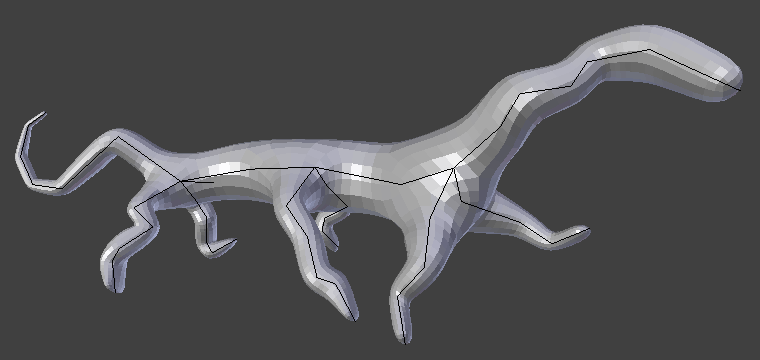
Sinh vật đơn giản, được tạo ra chỉ với bộ điều chỉnh Da và Bề Mặt Phân Hóa.