简介
The Dope Sheet offers a bird's-eye view of the keyframes inside the scene. It's inspired by classical hand-drawn animation, where animators make use of a chart showing exactly when each drawing, sound, and camera move will occur, and for how long. It is also possible to show Playback Controls to control the playhead.
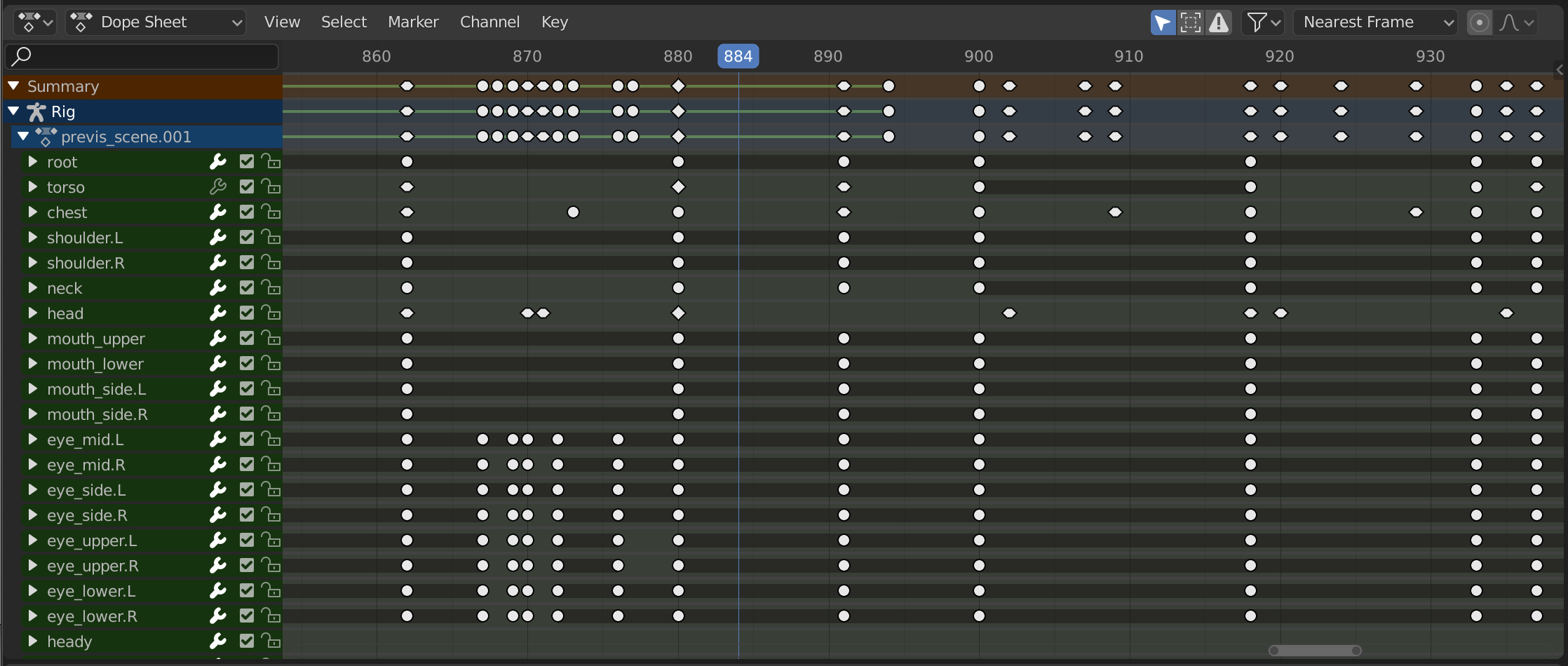
动画摄影表。
动画摄影表模式
The editor has several different modes that can be selected from a dropdown in the header. The default Dope Sheet mode gives an overview of most types of animatable data. For others, such as masks, you need to switch to a more specific mode.
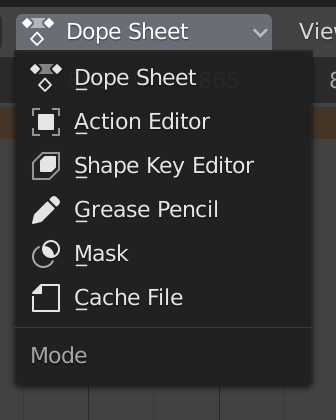
动画摄影表模式。
这些模式如下:
主区块
The Dope Sheet Editor shows a stack of channels (animatable properties), and for each channel, a series of keyframes laid out along the time axis.
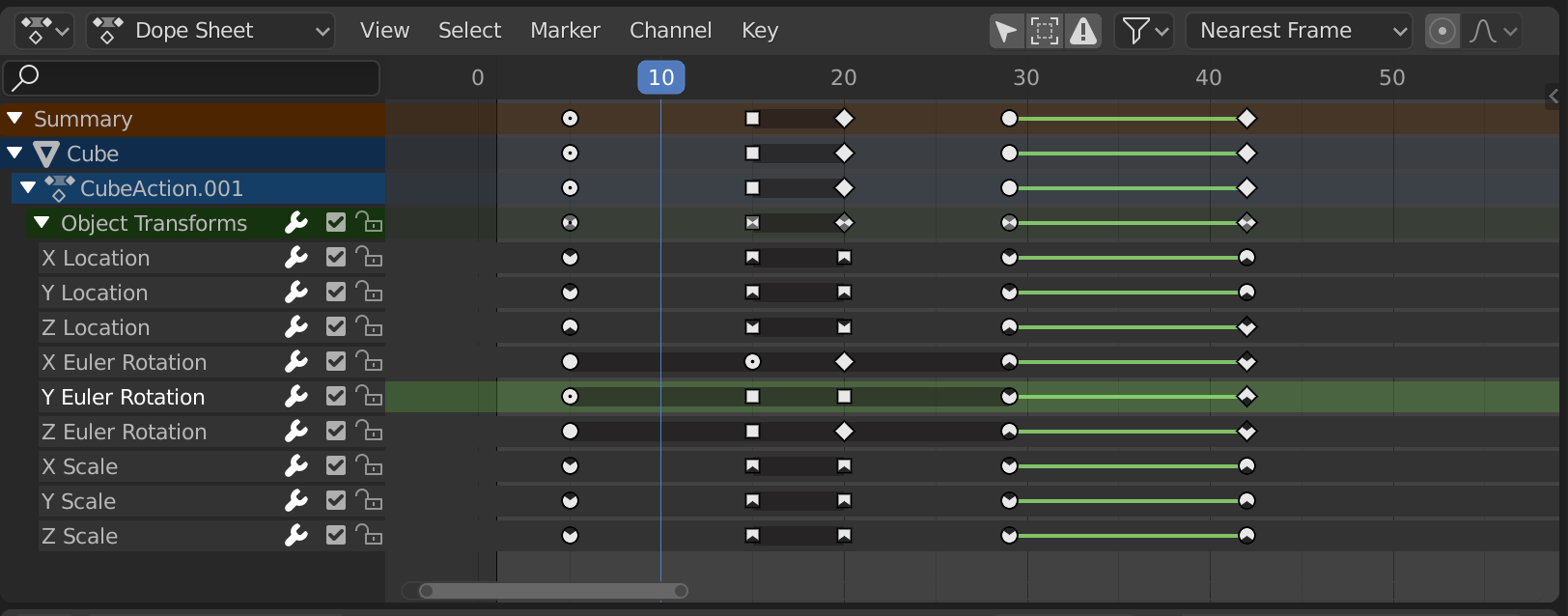
具有物体通道的动画摄影表编辑器。
关键帧可以呈现各种颜色和形状:
灰色 |
未选中项 |
黄色 |
选中项 |
其他颜色 |
由用户设置的自定义关键帧标签() |
菱形 |
自由关键帧控制柄() |
圆(四舍五入) |
自动钳位关键帧控制柄 |
圆形 |
自动关键帧控制柄 |
正方形 |
矢量关键帧控制柄 |
钝菱形 |
对齐关键帧控制柄 |
键之间的灰色条 |
保持键(两个关键帧相同) |
键之间的绿线 |
The curve segment uses custom interpolation () |
向上箭头 |
Local maximum in curve (visible if is enabled) |
向下箭头 |
Local minimum in curve |
Keyframes can be selected by clicking and moved by dragging. See the Select and Key menus for more options.