通用选项
目标
The Target is the object which the constraint should refer to. For example, the 复制位置约束 copies the location of the target object to the constrained object.
Initially, the Target is empty and the constraint's icon is red, indicating it's inactive:
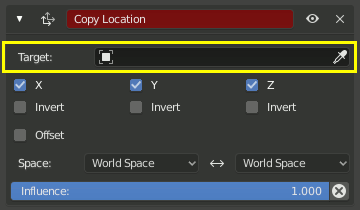
Once a target is selected, the icon will turn gray and the constraint will start working.
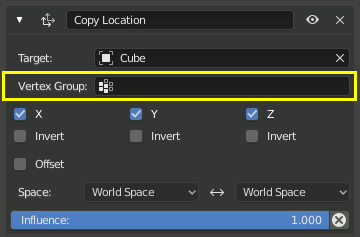
By default, the constraint uses the location of the target's Origin, but if the target is a Mesh or Lattice, it's possible to change this by selecting a Vertex Group. The constraint will then use the weighted average of the target's vertex positions.
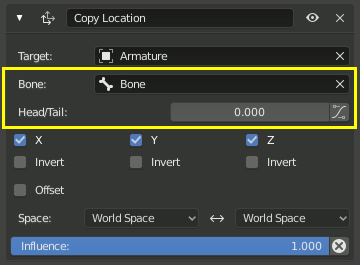
Alternatively, if the target is an Armature, it's possible to select a Bone and choose an interpolated position between its Head and Tail. The button enables following the curved shape of 柔性骨骼.
空间
The Target Space is the reference frame for retrieving the location coordinates, rotation angles, and scale factors of the Target. The Owner Space is the reference frame for applying those numbers to the object or bone that owns the constraint.
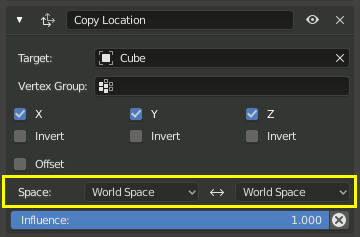
Using World Space for both Target and Owner places the constrained object at the same location as the target regardless of their parents.
空间类型
- 世界空间
Use the transformation relative to the world axes.
- 自定义空间
Use the transformation relative to an arbitrary object or bone.
- 姿态空间 仅限骨骼
Use the transformation relative to the armature object.
- 局部空间
For an object, use the transformation relative to its parent.
For a bone, use the transformation relative to its rest state, after that rest state was transformed by the bone's ancestors. (If the bone has no other constraints, this is its transformation as shown in the 属性编辑器 while in Pose Mode.)
Warning
For objects without a parent, Local Space has a special meaning that's kept for backwards compatibility. This behavior may be removed in the future and shouldn't be relied on; use World Space instead.
- 局部带父系 仅限骨骼
Use the transformation relative to the bone's rest state. Unlike Local Space, this includes the rotation and location difference caused by rotating any ancestor bone.
- 局部空间 (所有者方位) 仅限骨骼目标
This space is intended to be used with the Owner set to Local Space. It retrieves the Local Space of the Target bone, adjusted to work with the rest orientation of the Owner bone. The result is that, if the parent bones of both the Target and the Owner are in their rest pose, the Owner will undergo the same transformation as the Target in armature space. The following image demonstrates this:

The left hand armature contains the Target bone which we rotate manually.
The middle armature has a constraint that copies the Local Space rotation of the Target bone. If the Target bone is rotated around its Y axis, this Owner bone rotates by the same amount around its own Y axis.
The right hand armature has a constraint that copies the Local Space (Owner Orientation) rotation of the Target bone. If the Target bone is rotated around its Y axis, the Owner bone rotates around that same axis in armature space. Initially this is the same as using Pose Space or even World Space, but if the parent bones are rotated as well, the result will be different.
影响
The Influence is a strength multiplier for the constraint.
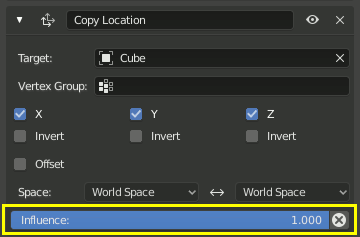
By default, it's 1, meaning that (for example) a Copy Location constraint fully overrides the object's original location.
Setting it to 0 is the same as disabling or even deleting the constraint.
Setting it between 0 and 1 will give an interpolated result. For example, a value of 0.5 would place the object halfway between its previous location and the location of the Target.
The Influence can be keyframed, meaning constraints can be turned on and off over the course of an animation.
- 禁用并保持变换
Applies the result of the constraint to the object's/bone's own transformation, but instead of deleting the constraint, disables it by setting the Influence to 0. As with applying, this may not work perfectly if the constraint is not the first in the stack.