简介
Constraints are a way of automatically controlling the location, rotation, and scale of an object or bone. For example, they can attach a sword to a knight's hand, or make a tennis player's eyes point towards the ball.
See also
Each object or bone can have a stack of constraints that's evaluated from top to bottom. In addition, each constraint has an Influence factor for weakening it or mixing it with other constraints. What's more, this Influence can be keyframed, which makes it possible to turn constraints on and off over the course of an animation.


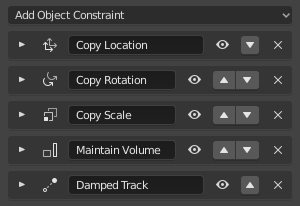
添加 & 移除约束
要添加约束,请点击属性编辑器中的 添加物体/骨骼约束,然后选择一个约束类型。
要删除约束,请点击其 按钮。
要将约束移动到堆栈中的不同位置,请拖动其手柄 。
The 约束 menu in the 3D Viewport offers further options such as copying constraints and deleting all constraints in one go. The 追踪 menu allows quickly adding a "track" (point at) constraint.
可视变换
Constraints give their owning object or bone a new location, rotation, and/or scale which together are called the visual transform. This transform is separate from the "base" transform found in the Transform panel of the Properties Editor, and as its name implies, it determines where the owner really appears in the world.
For example, even when an object's Transform panel still shows the original Location of (0, 0, 0), a constraint could have placed it somewhere else entirely. What's more, attempting to move or even animate that object won't work: its Location numbers will change, but visually, it will remain stuck in place. The only way to "free" the object is to disable or delete the constraint, or to set its 影响 to zero.
Of course, transform properties that are not constrained can still be changed as usual.
While the visual transform is not shown in the UI, it can be copied to the base transform:
By running Apply Visual Transform.
By applying the constraint. This also deletes the constraint.