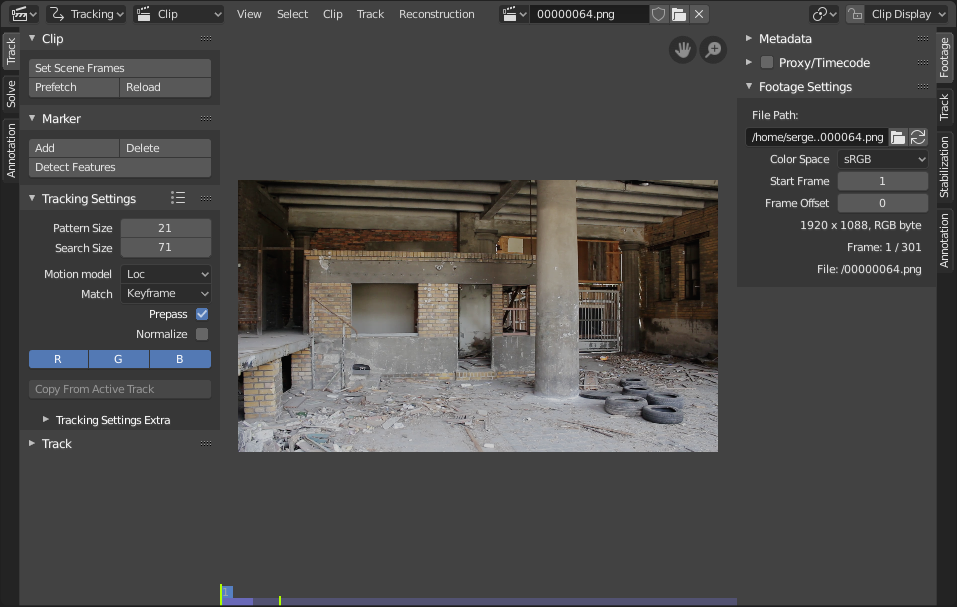
简介¶ 影片剪辑编辑器用于影片的追踪和遮罩。 影片剪辑编辑器界面。¶ 标题栏¶ 处于遮罩模式的影片剪辑编辑器标题栏。¶ 模式¶ 追踪用于在视频中放置标记并追踪其移动。 遮罩用于遮罩的创建和动画制作。 视图类型¶ 剪辑默认视图,用于放置和追踪标记。 曲线将标记的移动速度绘制于曲线图上。 动画摄影表在时间线上显示标记关键帧的概览。 视图菜单¶ 工具栏 T显示或隐藏左侧用于创建和操作标记和遮罩的选项卡面板。 侧栏 N显示或隐藏侧栏。 调整上一步操作显示一个弹出面板,用于更改上次完成操作的属性。 显示元数据显示视频中编码的元数据,如果可用。 框显全部 Home缩放并平移视图,使整个视频可见。 框显所选 数字键盘句号.Zooms and pans the view to focus on the selected items. 视图中心对齐游标 遮罩模式平移视图,使 2D 游标 位于中心。 缩放Menu with convenient zoom levels and operations. The zoom levels are calculated based on the images resolution compared to the screen resolution. 12.5% (1:8) Numpad8 zoom out to a factor of 12.5%. 25% (1:4) Numpad4 zoom out to a factor of 25%. 50% (1:2) Numpad2 zoom out to a factor of 50%. 100% (1:1) Numpad1 resets the zoom to 100%. 200% (2:1) Ctrl-Numpad2 zoom in to a factor of 200%. 400% (4:1) Ctrl-Numpad4 zoom in to a factor of 400%. 800% (8:1) Ctrl-Numpad8 zoom in to a factor of 800%. 缩放 滚轮放大或缩小视图。 缩放以适应 F与 框显全部 类似,但会尽可能多地使用编辑器中的空间。 面光区域控制,详见用户界面文档以获取更多信息。 选择菜单¶ 用于选择标记和遮罩的菜单。 剪辑菜单¶ 用于加载影片剪辑与创建代理的菜单。 追踪菜单¶ 用于执行追踪操作的菜单。 重建菜单¶ Menu for setting up the reconstruction of 3D information from the tracked points in the 2D video. 添加菜单¶ 用于添加基本的遮罩形状。 圆形添加一个圆形遮罩。 正方形添加一个方形遮罩。 遮罩菜单¶ 用于编辑遮罩操作的菜单。 其他¶ 剪辑用于加载和选择影片的数据块菜单。可使用视频文件和图像序列。当影片剪辑被加载到剪辑编辑器时,界面中会显示额外的面板。 轴心点详见轴心点。 衰减编辑 遮罩模式详见衰减编辑。 遮罩 遮罩模式一个数据块菜单,用于创建和选择遮罩。 遮罩显示 遮罩模式详见遮罩显示。 切换锁定选择 L自动平移视图以跟随选定标记,确保在追踪和回放过程中这些标记始终位于屏幕同一位置。 This option "locks the view onto the selection" and is not to be confused with the Lock option in the Sidebar, which instead prevents you from changing the active marker. 剪辑显示详见剪辑显示。 操控器详见视图操控器。