Intermedios
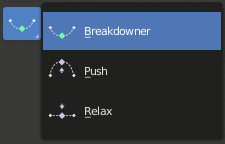
Herramientas de intermediación.
These tools create a new pose which is based on the keys surrounding the current frame. This can help to quickly build up in-betweens from already existing key poses.
Blend Pose with Rest Pose
Referencia
- Modo:
Pose Mode and Object Mode
- Menú:
- Menú:
Blend with Rest Pose linearly interpolates the current pose to the rest position. When blending with a negative factor, the pose is moved away from the rest position. Only one keyframe is needed for this tool unlike two for the other.
Empujar pose desde intermedio
Referencia
- Modo:
Pose Mode and Object Mode
- Herramienta:
- Menú:
- Menú:
- Atajo:
Ctrl-E
Push Pose interpolates the current pose away from the linear interpolation between the surrounding keys. On your current frame, imagine a pose that is linearly interpolated from the surrounding keys. That is the base pose that this tool interpolates away from.
Distender pose hacia intermedio
Referencia
- Modo:
Pose Mode and Object Mode
- Herramienta:
- Menú:
- Menú:
- Atajo:
Alt-E
Relax Pose is the opposite of Push Pose from Breakdown. Hence at full influence, the resulting pose will be identical to a linear interpolation between the surrounding keys.
Intermediador de pose
Referencia
- Modo:
Pose Mode and Object Mode
- Herramienta:
- Menú:
- Menú:
- Atajo:
Mayús-E
Creará una pose intermedia apropiada en el fotograma actual.
La herramienta Intermediador podrá ser restringida para que funcione con transformaciones y ejes específicos, pulsando las siguientes teclas mientras la herramienta se encuentre activa:
G, R, S: mover, rotar, escalar
B: Huesos flexibles
C: propiedades personalizadas
X, Y, Z: a los ejes correspondientes
Fundir a cercano
Referencia
- Modo:
Pose Mode and Object Mode
- Menú:
- Menú:
- Atajo:
Mayús-Alt-E
Permitirá transicionar la pose actual usando como referencia los claves adyacentes de la línea de tiempo. Para que este operador funcione, deberán existir claves antes y después del fotograma actual.