Introducción
Shape keys are used to deform objects into new shapes for animation. In other terminology, shape keys may be called morph targets or blend shapes.
The most common use cases for shape keys are in character facial animation (e.g. mouth positions, expressions, phonemes) and in refining a skeletal rig. They are particularly useful for modeling organic, soft body parts and muscles, where additional control over the resulting shape is needed beyond what can be achieved with transformations such as rotation or scale.
Shape keys can be applied to object types with vertices, such as meshes, curves, surfaces, and lattices.
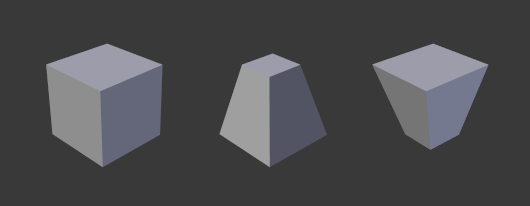
Ejemplo de una malla con diferentes Formas claves aplicadas.
Formas clave absolutas o relativas
Every object with shape keys maintains a stack of keys. This stack may be of Relative or Absolute type.
Truco
Use Relative Shape Keys for animation scenarios where shapes need to be blended together, such as facial expressions or corrective poses.
Use Absolute Shape Keys for shape changes that progress in a sequence over time, such as morphing an object smoothly into different states.
Relativo
Relative shape keys are mainly used for muscles, limb joints, and facial animation. Each shape is defined relative to the Basis or to another specified shape key.
The final result visible in the 3D Viewport, also called the Mix, is the cumulative effect of each shape key with its current value. Starting from the Basis shape, Blender applies each shape’s weighted offset relative to its reference key.
- Valor
Controls the blend between a shape key and its reference key.
0.0= 100% de influencia de la forma de referencia1.0= 100% de influencia de la forma clave
Blender can extrapolate blends above 1.0 and below 0.0, which may amplify or invert the deformation.
- Base
The Basis is the first (top-most) key in the stack.
Represents the object’s vertices in their original positions.
Has no weight value and cannot be keyed.
Serves as the default Reference Key when creating new shape keys.
Absoluto
Absolute shape keys are mainly used to deform an object into different shapes over time. Instead of being blended together, each key corresponds to a specific Evaluation Time.
The resulting shape, or Mix, is computed by interpolating between the previous and next keys according to the current Evaluation Time.
- Valor
Represents the Evaluation Time (in frames) at which the shape key will be active.
- Base
The Basis is the first (top-most) key in the stack.
Represents the object’s vertices in their original positions.
Defines the starting shape for the absolute sequence.