Materiales de Grease Pencil
Grease Pencil objects are composed of strokes. Each stroke can have a stroke (outline) component, a fill component, or both. The appearance of these components is controlled by Grease Pencil materials.
Each stroke references a single material data-block. Within that material, the Stroke and Fill components are defined separately. This means that a stroke and its fill can share the same material, but their visual properties are configured independently inside that material.
Materials define the base color, texture, and shading of both the stroke outline and the filled area.
There is always only one active material in the list (the selected one). When you draw, new strokes are created using the active material.
You can override the base material color using tools in Vertex Mode or the Draw and Tint tool in Draw Mode.
The material remains linked to the strokes. Any change made to a material will immediately affect all strokes using it.
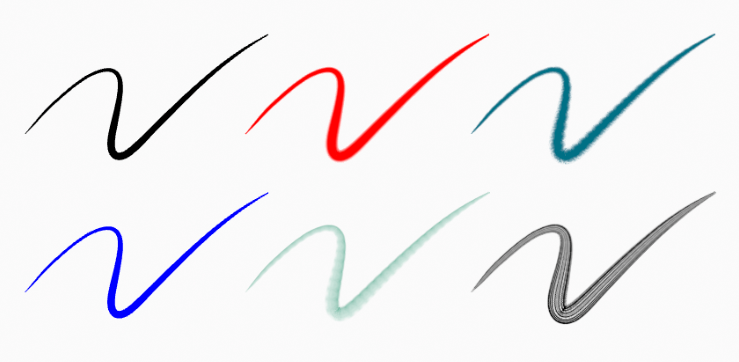
El mismo trazo vinculado a distintos materiales.
Sombreador de material
Grease Pencil materials use a dedicated shader to define the appearance of stroke outlines and fills.
The material contains two independent sections:
- Trazo
Controls the appearance of the stroke (outline). This affects line color, thickness shading behavior, and stroke textures.
- Rellenar (o Relleno)
Controls the appearance of enclosed areas. Fill only affects regions defined by closed strokes (where the start and end points connect).
Both components can be enabled or disabled independently using the checkbox in each panel header.
Nota
The Grease Pencil shader is not a standard BSDF shader. It is configured in the Material Properties panel and does not use the Shader Editor node system.
Configuración de materiales
Referencia
- Modo:
Modo de dibujo
- Panel:
- Atajo:
U
Grease Pencil materials are created and managed in the Material properties like other Blender materials. See Material assignment for general material usage.
The 3D Viewport can be set to Material Preview or Rendered shading to preview materials interactively.
Grease Pencil materials are data-blocks that can be assigned to one or more objects. Different strokes within the same object can use different materials.
In Grease Pencil, the brush settings together with the selected material determine the final visual appearance of strokes.
Material slots provide additional controls for managing and switching materials while drawing or editing strokes.