Seleccionar simétrico
Referencia
- Modo:
Modo Edición
- Menú:
- Atajo:
Mayús-Ctrl-M
Flips the selection to the opposite side of the mesh.
Opciones
- Eje
The local axis around which to mirror. The mesh’s origin is used as the centerpoint.
- Extender
Add to the selection instead of replacing it.
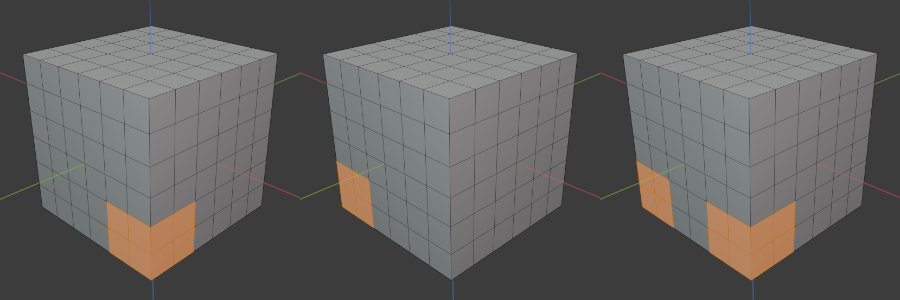
From left to right: initial selection – mirrored around the X axis – with Extend.
It’s possible to select multiple axes by holding Shift. If Extend is disabled, this will mirror once across the combination of all the axes. If Extend is enabled, this will mirror across each possible combination of the axes.
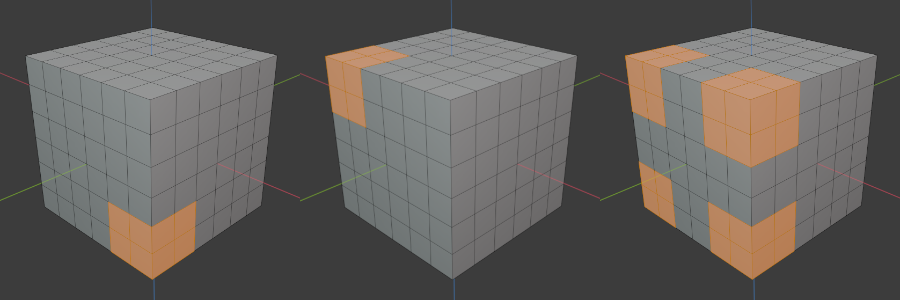
From left to right: initial selection – mirrored around the X and Z axes – with Extend.