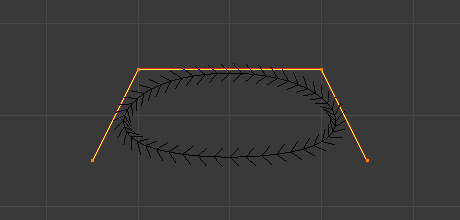
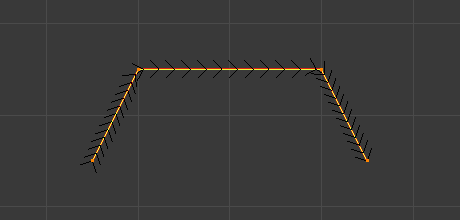
Curve Properties
Las curvas de pelo tienen propiedades diferentes a las de los objetos de curva regulares; estas propiedades se documentan a continuación.
Atributos
El panel Atributos contiene diferentes características del cabello, como la posición y el color de los mechones de cabello.
Use la Lista de Vista para administrar los atributos.
Ver también
Ver la Referencia de atributos para obtener detalles sobre los atributos.
Superficie
- Superficie
La superficie de la curva es una malla opcional que será usada para anclar las curvas y se comportará como si fuera el cuero cabelludo al crear pelo. Al agregar un nuevo objeto de curvas a través del menú Agregar, el objeto activo se establecerá automáticamente como la superficie.
- active spline
Para establecer una nueva superficie, presione Ctrl-P y seleccione Objeto (Adjuntar Curvas a la Superficie) en el menú emergente Establecer Superior A. Esta opción se puede ver como parte de la configuración de Curvas en el Editor de Propiedades.
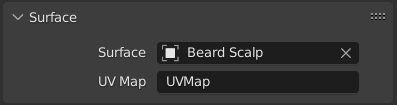
- Mapa UV de superficie
El nombre del atributo en la malla de superficie utilizada para definir el enlace de cada curva.
Nota
Si las UV de la superficie cambiaron, ejecute Adherir a Superficies más Cernacas para volver a adjuntar las curvas.
Curve Data
Referencia
- Editor:
Vista 3D
- Modo:
Modo Edición
- Menú:
The Curve Data panel in Edit Mode provides settings that affect the currently active spline. These options control how the spline is evaluated, displayed, and mathematically constructed.
- Cíclica
Closes the active spline by connecting the last control point back to the first.
When enabled, the curve forms a continuous loop. When disabled, the spline remains open.
- Knot Mode NURBS
Controls how knots are generated along the NURBS spline, which affects parametrization and shape behavior.
- Normal:
Uses evenly spaced knots. Produces a smooth curve influenced uniformly by control points.
- Final:
Clamps the curve so it passes through the first and last control points.
- Bezier:
Makes the NURBS curve behave similarly to a Bézier curve. The NURBS control points act like Free Bézier handles.
- Final Bezier:
Combines endpoint clamping with Bézier-like behavior.
- Personalizado:
Allows manual control of knot values.
- Orden NURBS
Defines the mathematical order of the NURBS curve. The order determines how many control points influence each evaluated segment of the curve.
Higher values mean that each control point influences a larger portion of the curve, resulting in smoother transitions. Lower values reduce influence and create sharper transitions.
The valid range for Order is typically 2-6, depending on the number of control points present.
- Resolution NURBS Bézier Catmull Rom
Adjusts the resolution of each segment by changing the number of subdivisions used when evaluating the spline.
Higher resolution values produce smoother curves but increase computational cost. Lower values reduce detail but improve performance.