Nodo Comparar
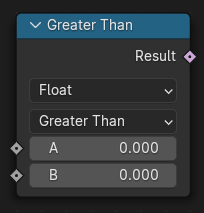
The Compare node compares two values and outputs whether they satisfy a selected comparison operation.
The node supports all generic data types, including data-blocks. For vector inputs, additional comparison modes are available that can perform more complex comparisons while reducing the number of required nodes and improving node tree readability.
Entradas
- A, B
Valores de entrada estándar del tipo seleccionado.
- C
Compared against the dot product of two input vectors in when the Mode property is set to Dot Product.
- Épsilon
This value is used as a threshold for still considering the two inputs as equal for the Equal and Not Equal operations.
Propiedades
- Tipo
The data type to compare.
- Modo
Method used to compare vector inputs.
- Por elementos:
Compare each axis of the input vectors separately, and output true only when the result is true for each axis.
- Longitud:
Compare the length of the two input vectors.
- Promedio:
Compare the average of the elements of the input vectors. This is the same as the implicit conversion used when setting the node’s data type to Float.
- Producto escalar:
Compare the dot product of the two vectors with the separate C input, using the selected operation. The dot product outputs a single value that says how much the two vectors «agree».
- Dirección:
Compare the angle between the two vectors with the separate Angle input, using the selected operation. The vectors are normalized, so their length does not matter.
- Operación
The comparison operation to perform. Available operations depend on the selected data type.
- Menor que:
True when the first input is smaller than second input.
- Menor o igual:
True when the first input is smaller than the second input or equal.
- Mayor que:
True when the first input is greater than the second input.
- Mayor o igual:
True when the first input is greater than the second input or equal.
- Igual:
True when both the difference between the two inputs is smaller than the Epsilon input.
- Distinto:
True when both the difference between the two inputs is larger than the Epsilon input.
- Más claro:
True when the first color input is brighter than the second.
- Más oscuro:
True when the first color input is darker than the second.
Salida
- Resultado
Salida booleana estándar.
Ejemplos
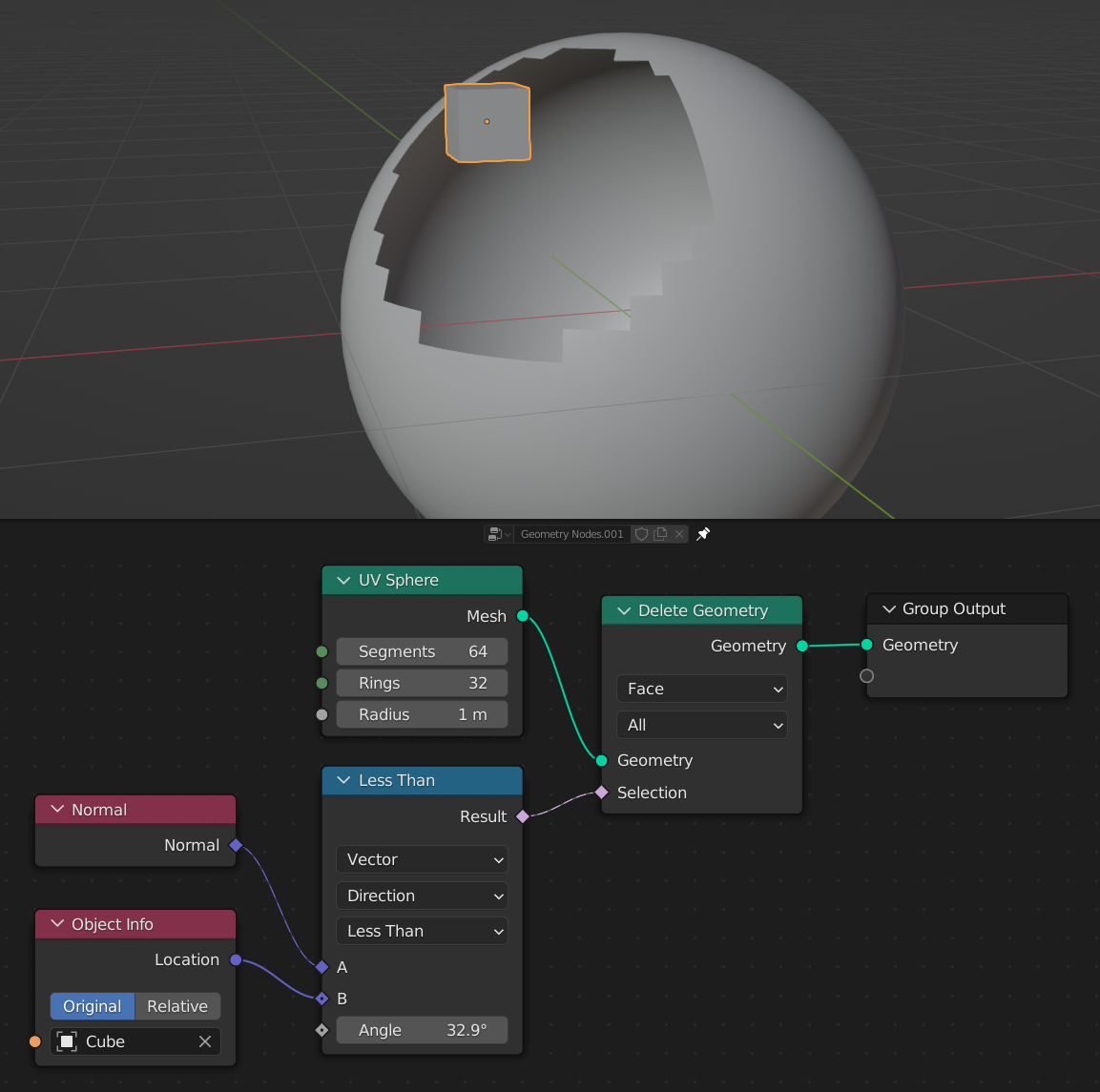
Here, the compare node is used with the Direction mode to compare the direction of the sphere’s face normals to the «direction» of the cube object’s location. Anywhere that the directions are less than 32.9 degrees apart, the faces will be selected, and deleted.