Contraer / Expandir
Referencia
- Modo:
Modo Edición
- Herramienta:
- Menú:
- Atajo:
Alt-S
Moves the selected vertices «inwards» or «outwards» along their normal, all by the same distance.
After clicking the menu item or pressing the keyboard shortcut, move the mouse down to shrink or up to fatten. (Alternatively, type a distance on the keyboard.) Then press LMB or Return to confirm or RMB or Esc to cancel.
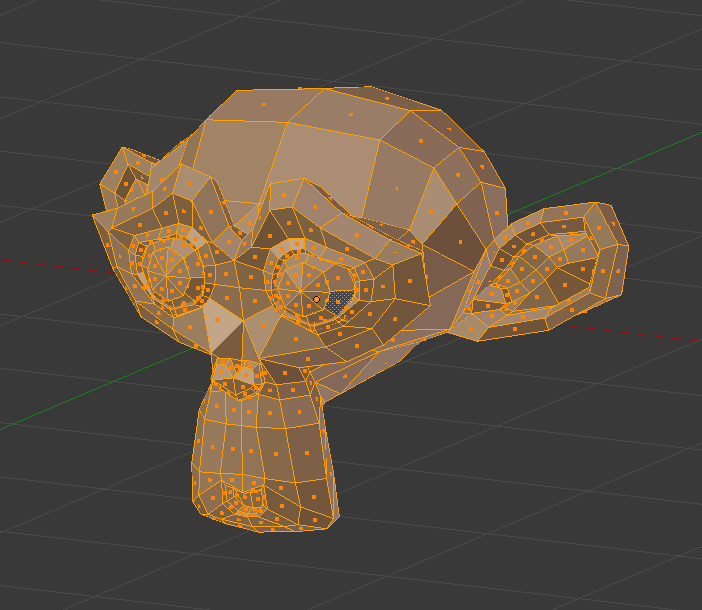
Malla antes de Contraer / Expandir.¶ |
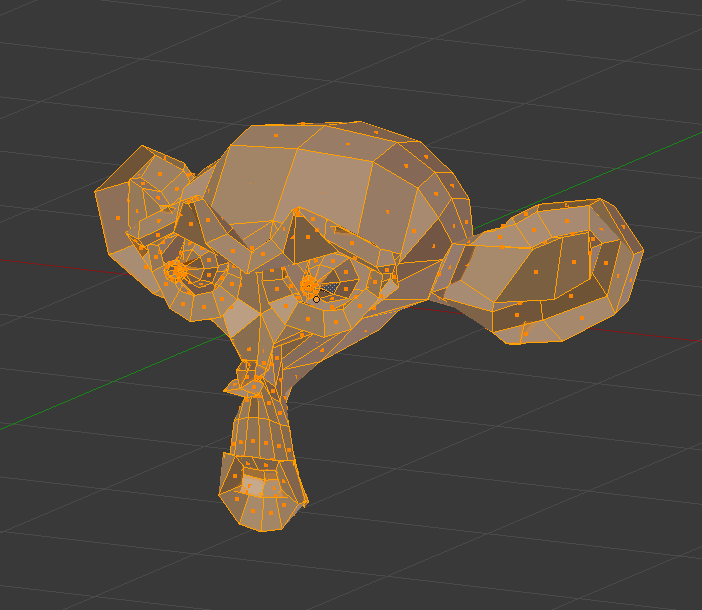
Encogido utilizando un valor negativo.¶ |
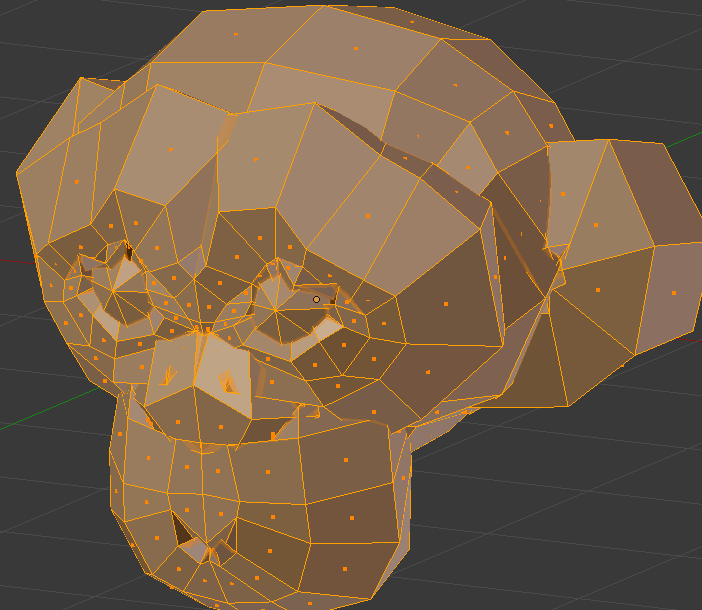
Fattened using a positive value.¶ |
Opciones
These settings can be changed in the Ajustar última operación panel.
- Desplazamiento
How far to move each vertex.
- Desplazamiento uniforme
When disabled, each vertex is offset by the same distance. When enabled, each edge is offset by the same distance.
This option can also be toggled before confirming by pressing S or holding Alt. (These shortcuts are shown in the status bar.)


- Edición simétrica
Whether to also affect matching geometry on the other side of the mesh. Mesh Symmetry needs to be enabled for this to work.
- Edición proporcional
Ver Edición proporcional.