Nodo Recortar
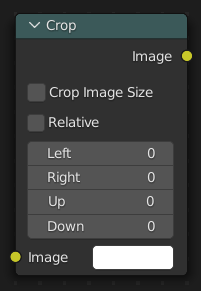
The Crop node crops an input image to a selected region by either making the cropped area transparent or by resizing the input image.
Entradas
- Imagen
Entrada de color estándar. Si no se seleccionara ninguna imagen, se utilizará una imagen rellena con el color seleccionado. Es posible usar y recortar esta imagen en combinación con otra imagen de fondo.
- X
The X position of the lower left corner of the crop region.
- Y
The Y position of the lower left corner of the crop region.
- Ancho
The width of the crop region.
- Altura
The height of the crop region.
- Recortar alfa
Set areas outside the crop region to be transparent instead of changing the dimensions of the image.
When enabled, the output image retains the same resolution as the input image, with pixels outside the crop region replaced by transparency.
When the node is active and Nodo activo is enabled, the crop region can be adjusted interactively in the backdrop or Image editor.
Salidas
- Imagen
Salida de color estándar.