В сферу (to sphere)
Ссылка
- Режим (mode):
Объектный и Редактирования
- Меню:
- Горячая клавиша:
Shift-Alt-S
The To Sphere transformation deforms the selected geometry to look more like a sphere.
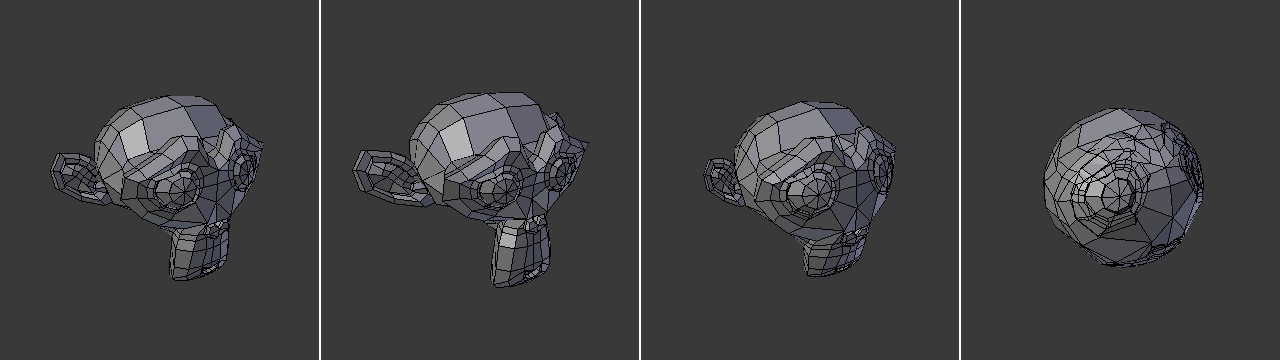
Monkey with increasing sphericity (0%, 25%, 50%, 100%).
Использование
Click the menu item or press the keyboard shortcut, then move the mouse right or left (or type a number between 0 and 1) to make the selection more or less spherical. Finally, press LMB or Return to confirm, or RMB or Esc to cancel.
Опции (options)
- Коэффициент (factor)
A value between 0 and 1 indicating how strongly the selection is spherized.
- Симметричное редактирование (mirror editing)
Whether to also affect matching geometry on the other side of the mesh. Mesh Symmetry needs to be enabled for this to work.
- Пропорциональное редактирование (proportional editing)
См. раздел «Пропорциональное редактирование».
Примеры
Meshes with higher density will give better results:
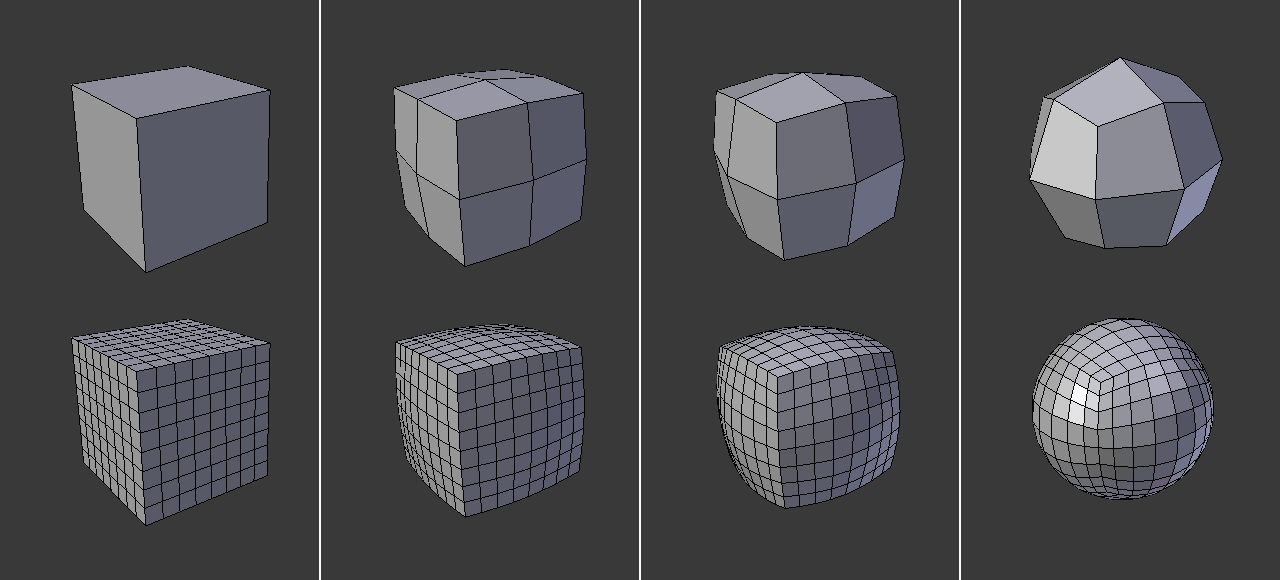
Применение To Sphere к кубам с разными уровнями подразделения.
Трансформация „To Sphere“ даёт разные результаты в зависимости от количества и расположения выделенных элементов:
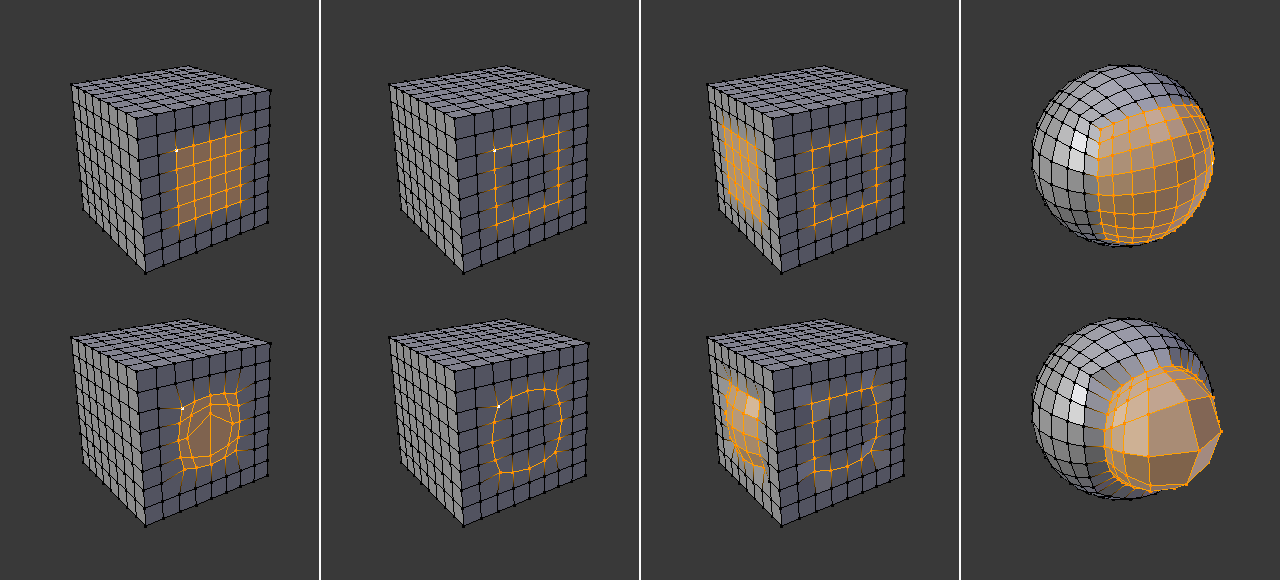
Трансформация To Sphere применяется к различным выделениям.