Rip Region
Ссылка
- Инструмент (tool):
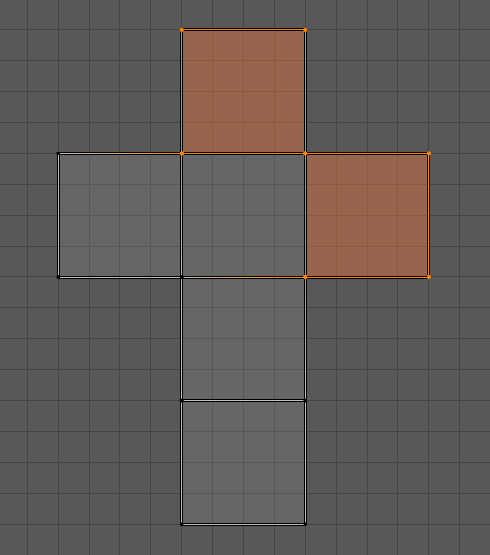
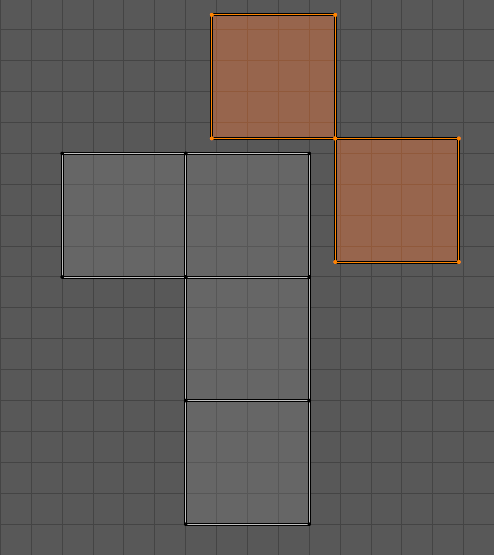
The Rip Region tool interactively separates selected UV elements (vertices, edges, or faces) from connected components, creating a «rip» in the UV map. After the separation, the selection can be moved in the direction of the mouse pointer, allowing the detached elements to be repositioned interactively.
Это полезно для изоляции UV-островов или развёртки перекрывающихся элементов без влияния на окружающую геометрию.
Примечание
The Rip Region tool is not compatible with Sync Selection. To use this tool, make sure Sync Selection is disabled in the UV Editor.
См. также
Rip Move UV Operator – operator version of the rip operator.
Инструмент редактирования мешей „Разорвать вершины (rip vertices)“ – аналогичная функциональность для редактирования меша в 3D-вьюпорте.