Сгладить вершины (smooth vertices)
Ссылка
- Режим (mode):
Режим редактирования (edit mode)
- Меню:
, ; ,
Moves the selected vertices so that the surface around them becomes more smooth and rounded.
После запуска инструмента на панели настройки последней операции будут доступны следующие параметры:
- Сглаживание (smoothing)
Коэффициент сглаживания.
- Повторять (repeat)
Количество итераций сглаживания.
- Оси (axes)
Ограничение эффекта определёнными осями.
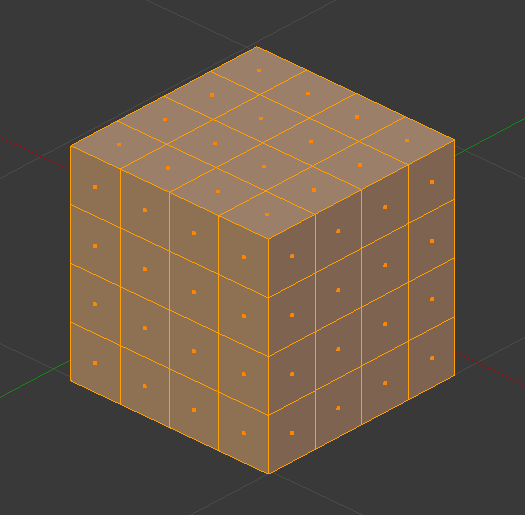
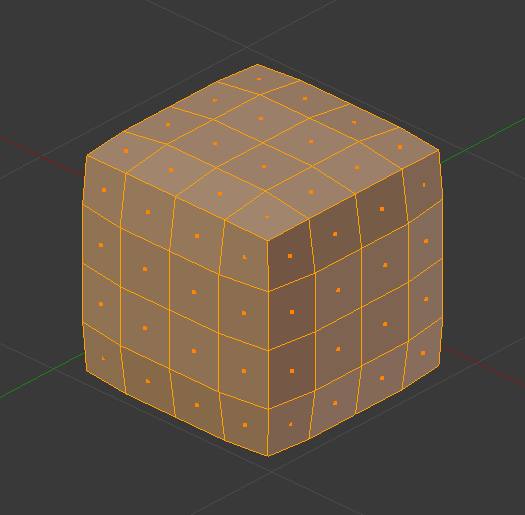
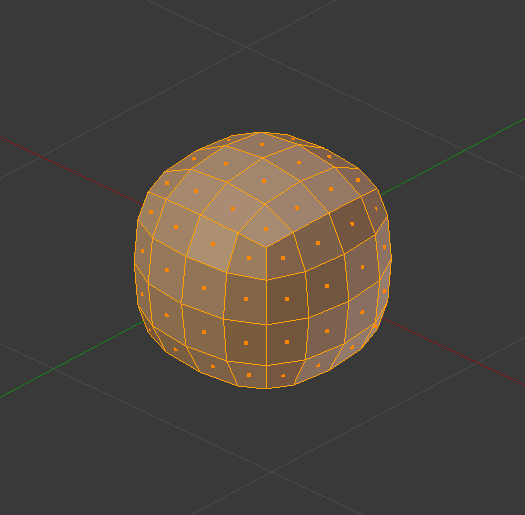
Совет
If the mesh has insufficient geometry density and would still look blocky after smoothing, you can subdivide it first.
Alternatively, use the Модификатор «Подразделение поверхности» (subdivision surface modifier) to subdivide and smooth the mesh in one go. This uses a more complex smoothing algorithm, however, so the result won’t be quite the same.
См. также
The Модификатор «Сглаживание» (smooth modifier) performs this operation non-destructively.
Примечание
The Smooth Faces operator sounds similar to this one but is unrelated. It’s called Shade Smooth in other parts of the UI and merely changes the vertex normals to make the mesh appear more smooth. It doesn’t smooth out vertex positions like Smooth Vertices does.