Вступ
The Preview mode shows how the final edited video will look like. It also offers tools for moving, rotating, and scaling images, as well as scopes for analyzing color distribution.
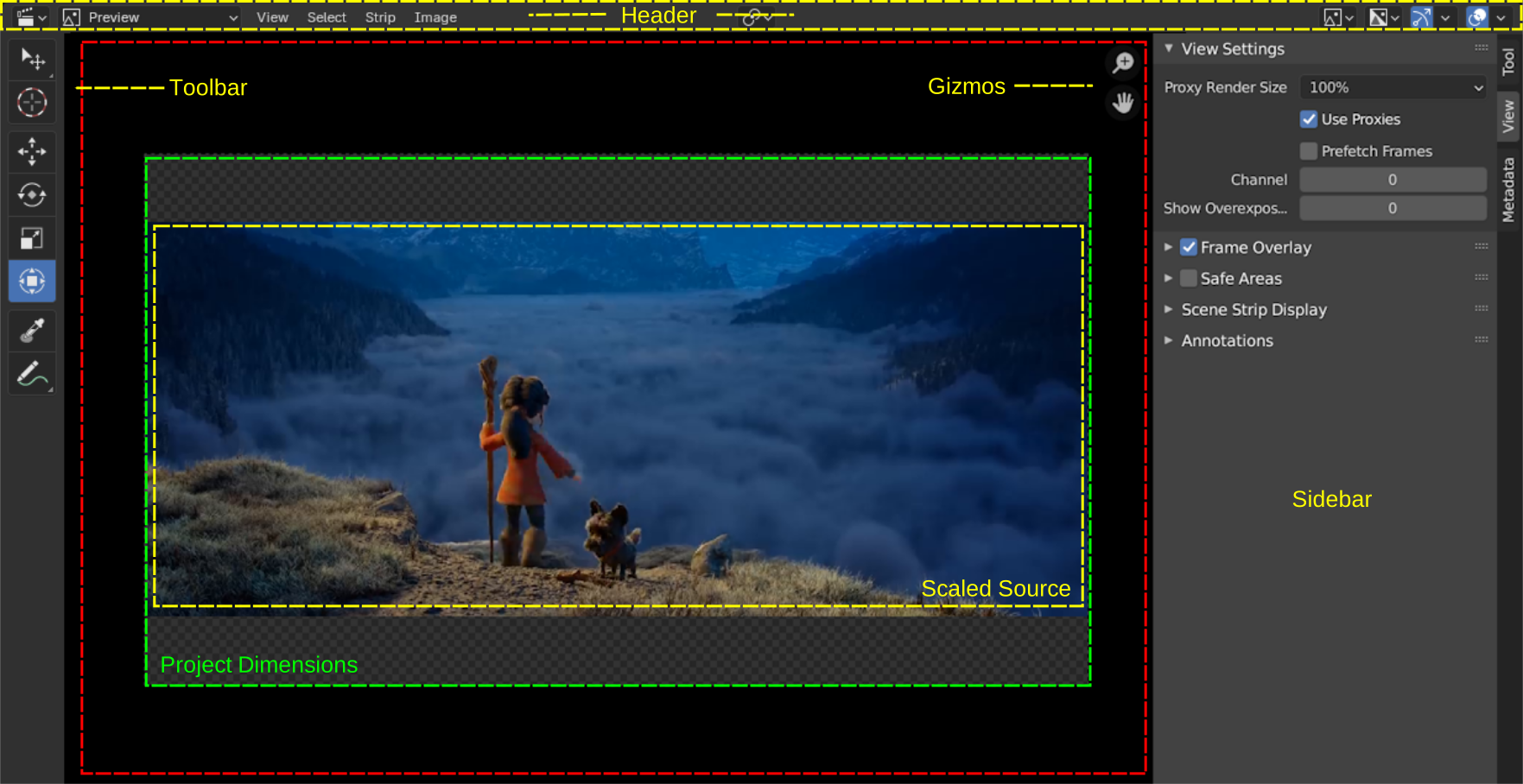
Preview mode of the Video Sequencer.
You can pan around the view with MMB and zoom with Wheel or NumpadPlus/ NumpadMinus. Alternatively, you can use the gizmos.
Pressing Home resets the view, maximizing the size of the preview within the editor’s area.
Елементи Керування Відтворенням
The Playback Controls region contains controls and options related to playback, keying, auto keyframing, and transport.
Ці налаштування дозволяють вам:
Контролювати як анімації попередньо виглядають та синхронізовані з аудіо.
Вставляти та керувати ключкадрами через налаштування наборів та авто налаштування.
Переходити по часовій лінії використовуючи елементи керування відтворенням та транспорту.
Коректувати діапазони кадрів та переглядати певні сегменти анімації.
Дивись також
For a detailed description of all properties and controls commonly found in the footer, see the Playback Controls documentation.