Shrink/Fatten
Посилання
- Режим:
Режим Редагування
- Tool – Засіб:
- Меню:
- Скорочення:
Alt-S
Moves the selected vertices «inwards» or «outwards» along their normal, all by the same distance.
After clicking the menu item or pressing the keyboard shortcut, move the mouse down to shrink or up to fatten. (Alternatively, type a distance on the keyboard.) Then press LMB or Return to confirm or RMB or Esc to cancel.
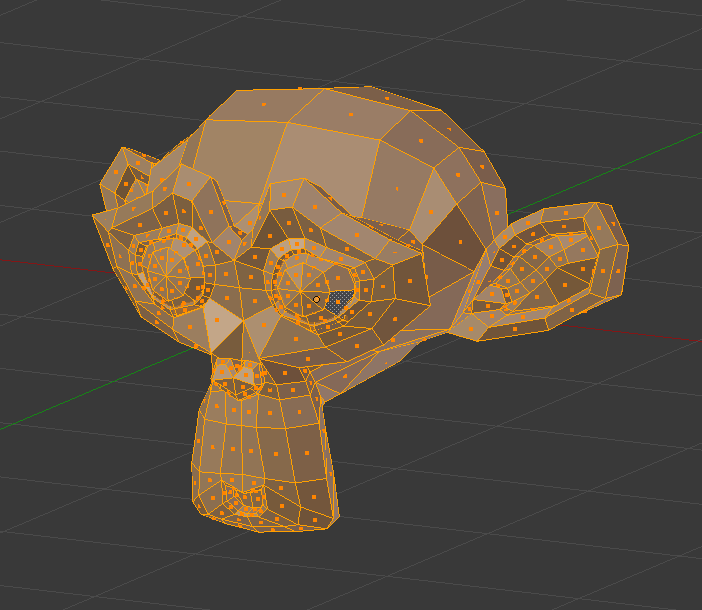
Mesh before shrink/fatten.¶ |
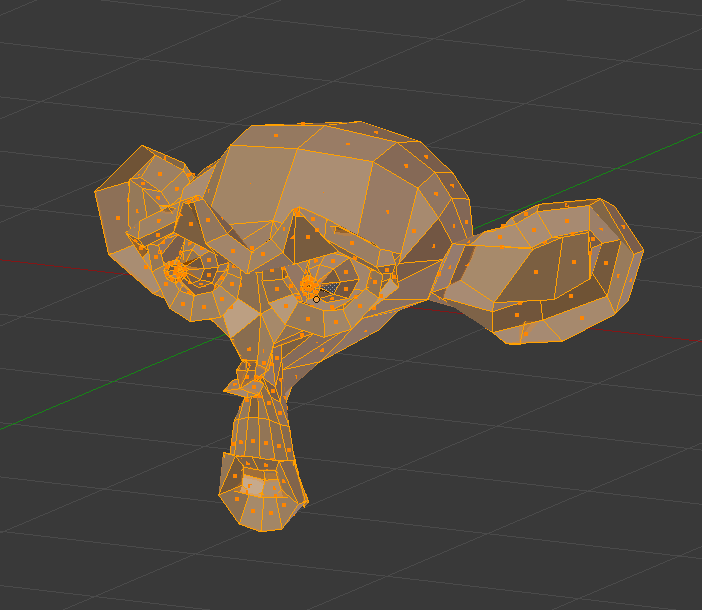
Стиснення, використовуючи від’ємне значення.¶ |
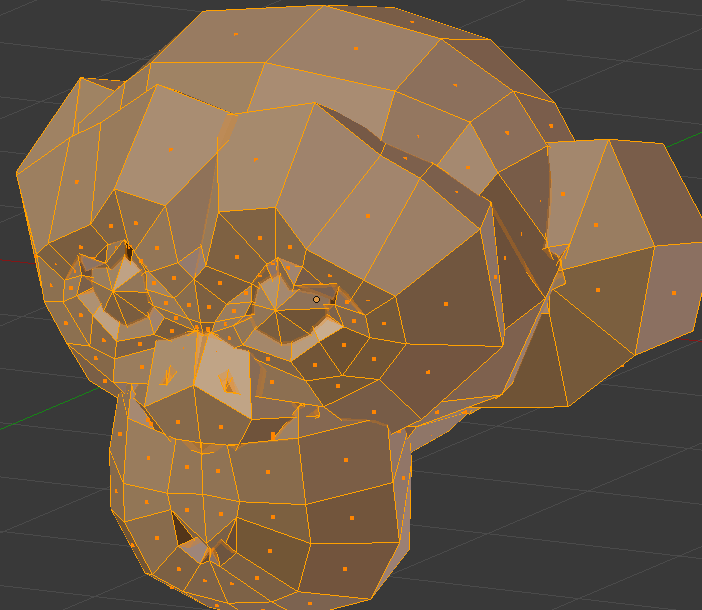
Fattened using a positive value.¶ |
Опції
These settings can be changed in the Наладнати Останню Операцію – Adjust Last Operation panel.
- Offset – Зсув
How far to move each vertex.
- Offset Even
When disabled, each vertex is offset by the same distance. When enabled, each edge is offset by the same distance.
This option can also be toggled before confirming by pressing S or holding Alt. (These shortcuts are shown in the status bar.)


- Mirror Editing
Whether to also affect matching geometry on the other side of the mesh. Mesh Symmetry needs to be enabled for this to work.
- Proportional Editing – Пропорційне Редагування
Дивіться Proportional Editing.