До Сфери – To Sphere
Посилання
- Режим:
Object and Edit Modes – Режими Об’єкта та Правки
- Меню:
«Сіть > Трансформа > До Сфери» –
- Скорочення:
Shift-Alt-S
The To Sphere transformation deforms the selected geometry to look more like a sphere.
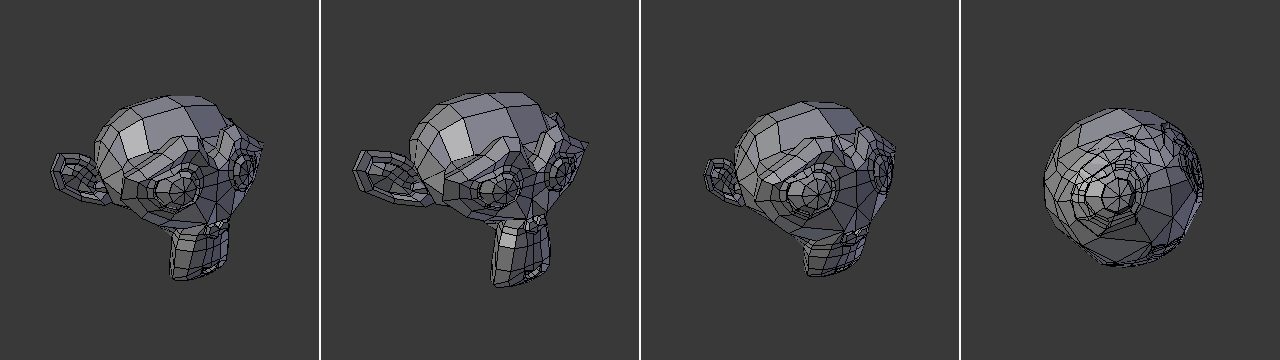
Monkey with increasing sphericity (0%, 25%, 50%, 100%).
Використання
Click the menu item or press the keyboard shortcut, then move the mouse right or left (or type a number between 0 and 1) to make the selection more or less spherical. Finally, press LMB or Return to confirm, or RMB or Esc to cancel.
Опції
- Factor – Фактор
A value between 0 and 1 indicating how strongly the selection is spherized.
- Mirror Editing
Whether to also affect matching geometry on the other side of the mesh. Mesh Symmetry needs to be enabled for this to work.
- Proportional Editing – Пропорційне Редагування
Examples – Приклади
Meshes with higher density will give better results:
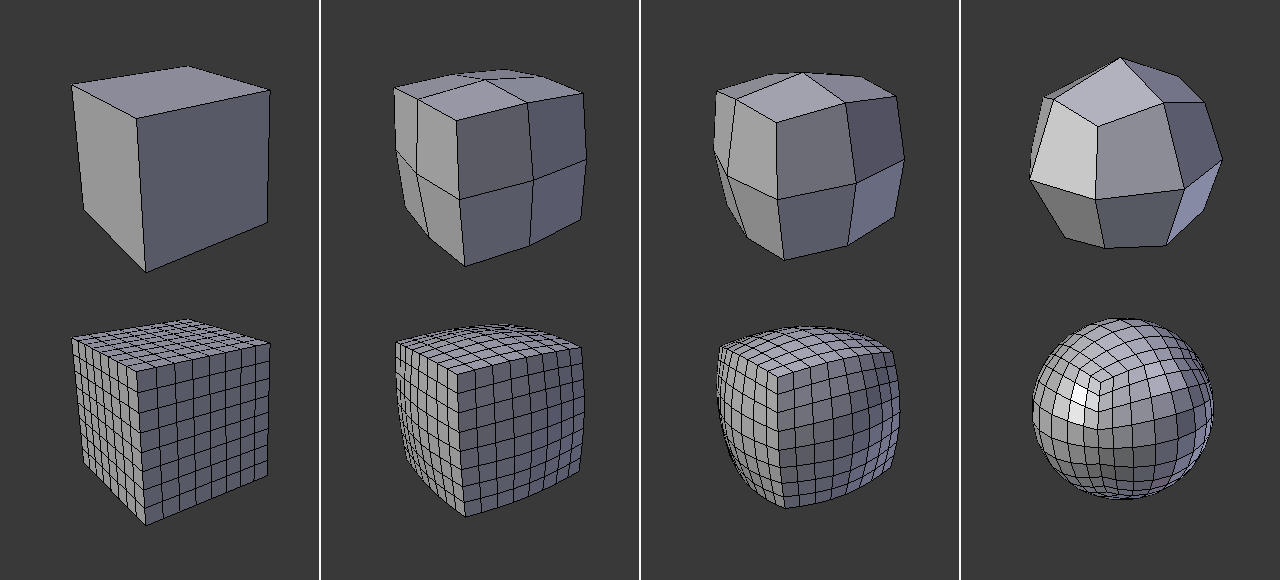
Засіб To Sphere застосовано до кубів з різними рівнями підподілення.
The results are also different depending on the number and arrangement of the selected elements:
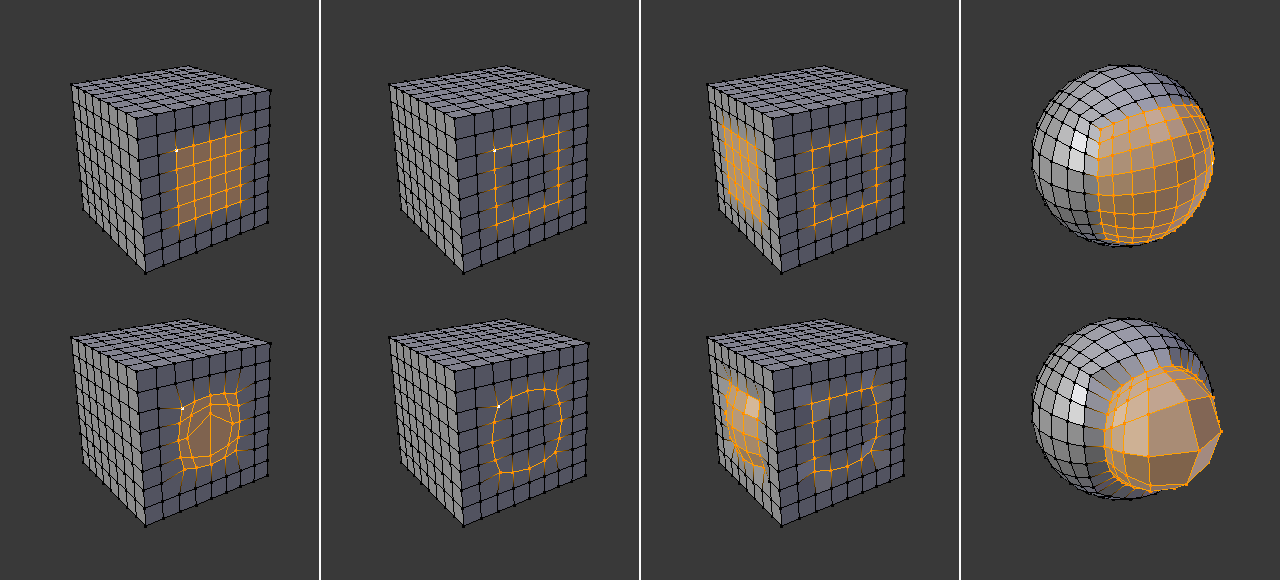
To Sphere застосовано до різних вибрань.