Редактор Шейдерів – Shader Editor
The Shader Editor is used to edit materials which are used for rendering. Materials used by Cycles and EEVEE are defined using a node tree. Therefore, the main window of the Shader editor is a node editor.
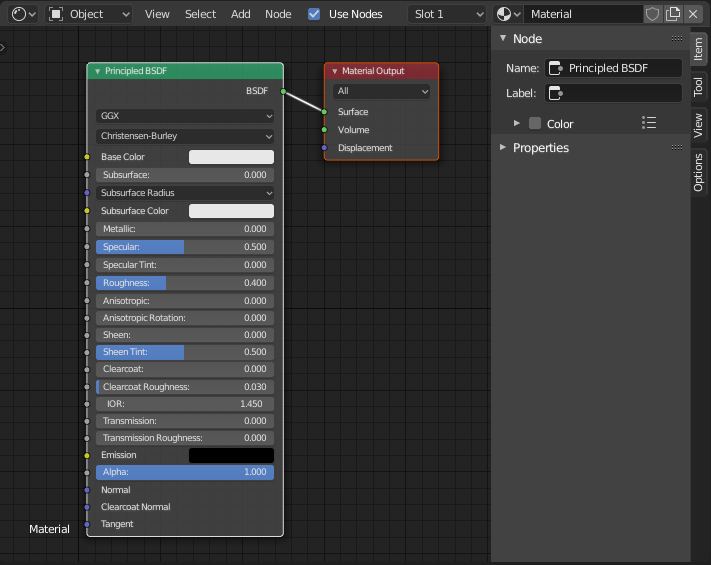
Редактором Шейдерів зі стандартним деревом вузлів матеріалу.
Список всіх вузлів шейдерів – shader nodes доступний у секції про рендеринг.
Заголовок
- Shader Type
The type of data whose shader nodes are being edited:
- Об’єкт:
Edit shader nodes for the active object’s Material.
- Світ:
Edit shader nodes for the World background.
- Стиль Ліній – Line Style:
Edit shader nodes for Freestyle Line Styles
- Use Nodes Line Style
Use shader nodes to define the texture for the freestyle line style.
- Slot – Слот
The Slot menu can be used to select the active material slot on the active object. The material selector to the right of it can change the material that is in the selected slot.
- / Pinned
Keeps the current material selection visible in the Shader editor even when another object or material is selected elsewhere.